EasyManua.ls Logo

RockJam RJ640 - User Manual

RockJam RJ640
29 pages
Print Icon
To Next Page IconTo Next Page
Loading...
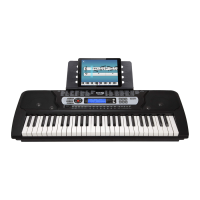
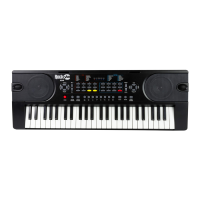
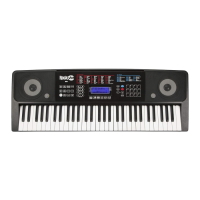
RJ540 / RJ540-SK
RJ541 / RJ541-SK
RJ640 / RJ640-SK
RJ641 / RJ641-SK
Multi-function Keyboard
User Guide

Questions and Answers

  • D
    Derek GutierrezAug 10, 2025
    How to fix no sound on my RockJam RJ640?
    • C
      chelsea59Aug 10, 2025
      If you're not getting any sound from your RockJam Keyboard when you press the keys, here are a few things to check: * Make sure the master volume is turned up to a suitable level. * Ensure that headphones or other external equipment aren't plugged in, as they'll automatically disable the built-in speakers. * Verify that fingered chord mode isn't active, as incorrect key presses in this mode won't produce sound. * Confirm that the volume isn't set to the lowest level (muted).
  • S
    steven71Aug 16, 2025
    What to do if my RockJam Keyboard sound is distorted?
    • D
      David HatfieldAug 16, 2025
      If the sound from your RockJam Keyboard is distorted or interrupted, and the keyboard isn't working as expected, it might be due to the power adapter. Try using the power adapter that came with your keyboard. Alternatively, the batteries may need replacing.
  • E
    Elizabeth AndersonAug 21, 2025
    What to do if auto accompaniment does not work on RockJam Keyboard?
    • J
      Jessica Keith MDAug 21, 2025
      If the auto accompaniment isn't working in SYNC status on your RockJam Keyboard, ensure that Chord mode is selected. Then, play a note using the first 19 keys on the left side of the keyboard.
  • K
    Karen WilsonAug 28, 2025
    Why is the pitch of the note not correct on RockJam Keyboard?
    • K
      kevin03Aug 28, 2025
      If the pitch of the note on your RockJam Keyboard sounds incorrect, verify that the transpose setting is set to 00.
  • J
    Javier SmithSep 3, 2025
    Why is there noise when turning RockJam RJ640 Keyboard on?
    • T
      Timothy EspinozaSep 3, 2025
      This faint noise when turning your RockJam Keyboard on or off is normal, so there's no need to worry.

Summary

Important Information

Power Adapter Guidelines

Guidelines for using the specified DC adapter to prevent keyboard damage.

Keyboard Disassembly Warning

Instructions against disassembling the keyboard; seek qualified service for repairs.

Controls, Indicators, and Front Panel

Front Panel Overview

Overview and labeling of the keyboard's front panel controls and indicators.

Preparation Before First Use

Power Connection and Battery Operation

Instructions for using the DC power adapter and battery operation.

Keyboard Operation Basics

Power and Volume Control

How to turn the keyboard on/off and adjust master volume levels.

Tone Selection Method

How to select different instrument tones using the keypad or buttons.

Advanced Tone Features

Tone Selection Details and Appendix Reference

Details on changing tones via number codes or +/- buttons, referencing appendix III.

Effect and Control Features

Sustain Effect Operation

Vibrato Effect Operation

Transpose Functionality

Metronome Function

Rhythm Features

Rhythm Selection Guide

How to choose from 350 built-in rhythms using the keypad or buttons.

Volume and Tempo Adjustments

Chord Accompaniment Modes

Single Finger Chords Operation

Activating and using the single finger chord function for accompaniment.

Fingered Chords Operation

Activating and using the fingered chord function for accompaniment.

Recording and Playback

Recording Function Details

How to record and play back musical performances.

Rhythm Programming

Demo Songs

Teaching Modes

Advanced Course (Teach 3)

Appendix V. Troubleshooting

Appendix VI. Chord Tables

Fingered Chords Reference

Appendix VII. Technical Specification

RockJam RJ640 Specifications

General IconGeneral
BrandRockJam
ModelRJ640
CategoryKeyboard
LanguageEnglish

Related product manuals