Page | 15
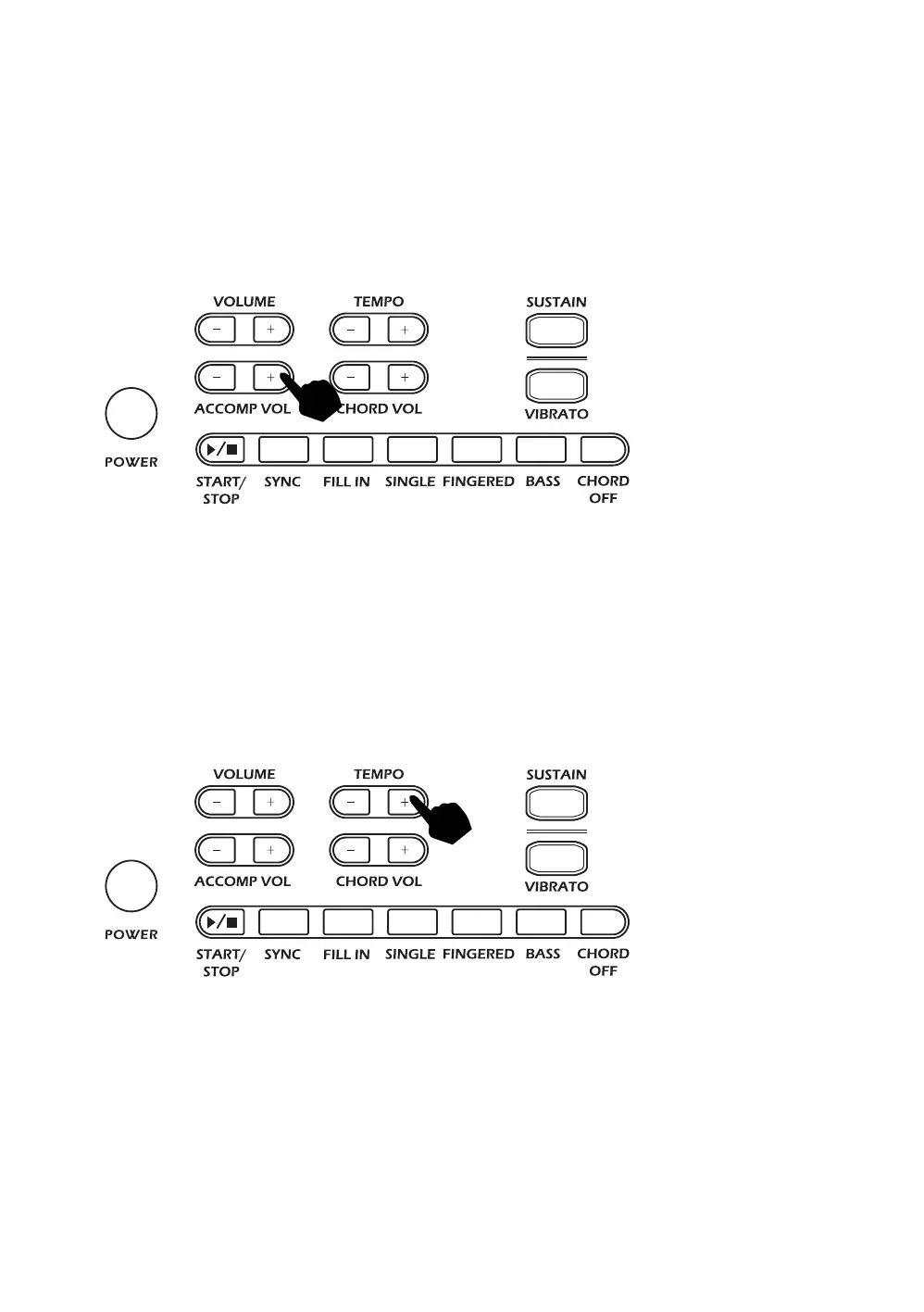
Accompaniment Volume Adjustment:
The Accompaniment Volume can be adjusted by pressing the [ACCOMP VOLUME +/-] buttons. The
screen display will show the volume as you are adjusting it. The adjustment range has 8 levels, pressing
both the [ACCOMP VOLUME +/-] buttons at the same time will make the Accompaniment Volume return
to the default level (level 6). The Main Volume control will also affect the output level of the
accompaniment. At power on the accompaniment volume will reset to the default level.
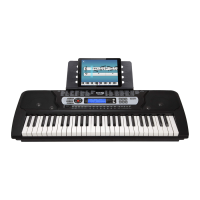
Tempo Adjustment:
Touch the [TEMPO +/-] buttons to adjust the playing tempo of the rhythm, metronome, and demo song.
The adjustment range is 30-240 bpm. Press and hold the [TEMPO +/-] buttons to adjust quickly. Pressing
both the [TEMPO +/-] buttons at the same time will make the tempo revert to the default tempo for the
rhythm selected. At power on the tempo will revert to 120 bpm.



 To Next Page