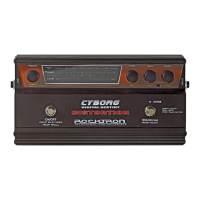
LED Display
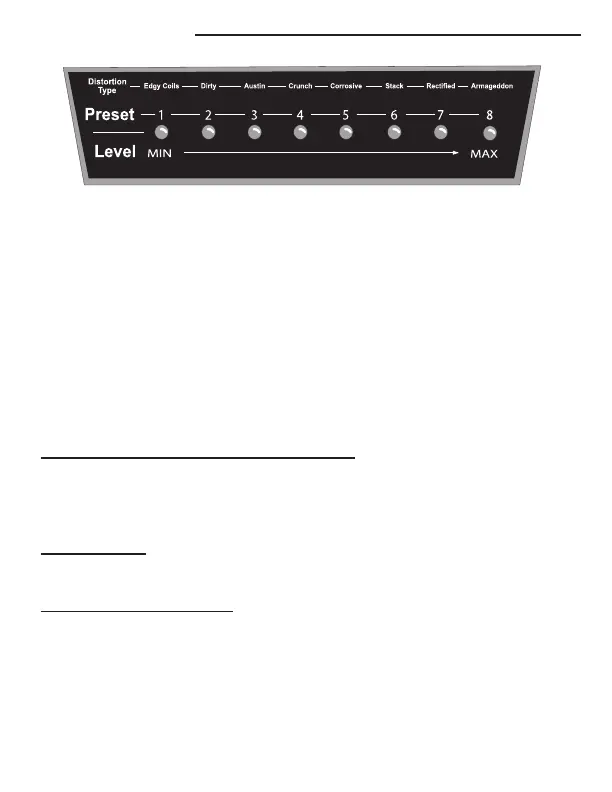
The Cyborg’s LED Display consists of 8 LEDs that are used to
visually show the user:
1) The DISTORTION TYPE
2) The PRESET selected (1-8)
3) The LEVEL setting indicates each parameters value including level, HUSH
Threshold, Gain, Bass, Mid and Treble.
As an example, lets choose preset 1. First, turn the Preset Knob until the LED
under the number 1 is “lit”. You now have selected Preset 1. On Preset 1 you have
the following parameters available
1) TYPE CONTROL (DISTORTION TYPE
)- Turning the Type control, the
LED will change depending on the TYPE
of Distortion you are selecting, however,
you are still on Preset 1, even though the LED is changing when you turn the TYPE
knob.
2) The LEVEL setting parameter shows the LEVEL settings of the following
parameters:
3) The GAIN Control Knob. Turning the GAIN control knob will light LEDs
in the display to show you the amount of GAIN that you have selected within the
preset. To see the current GAIN setting of the preset, turn the knob only one click.
This will cause the LEDs to light showing your current setting. To change the set-
ting continue turning the knob. Turning the knob clockwise will increase the


 To Next Page