EasyManua.ls Logo

Rockville HTS45 - User Manual

Rockville HTS45
16 pages
Print Icon
To Next Page IconTo Next Page
Loading...
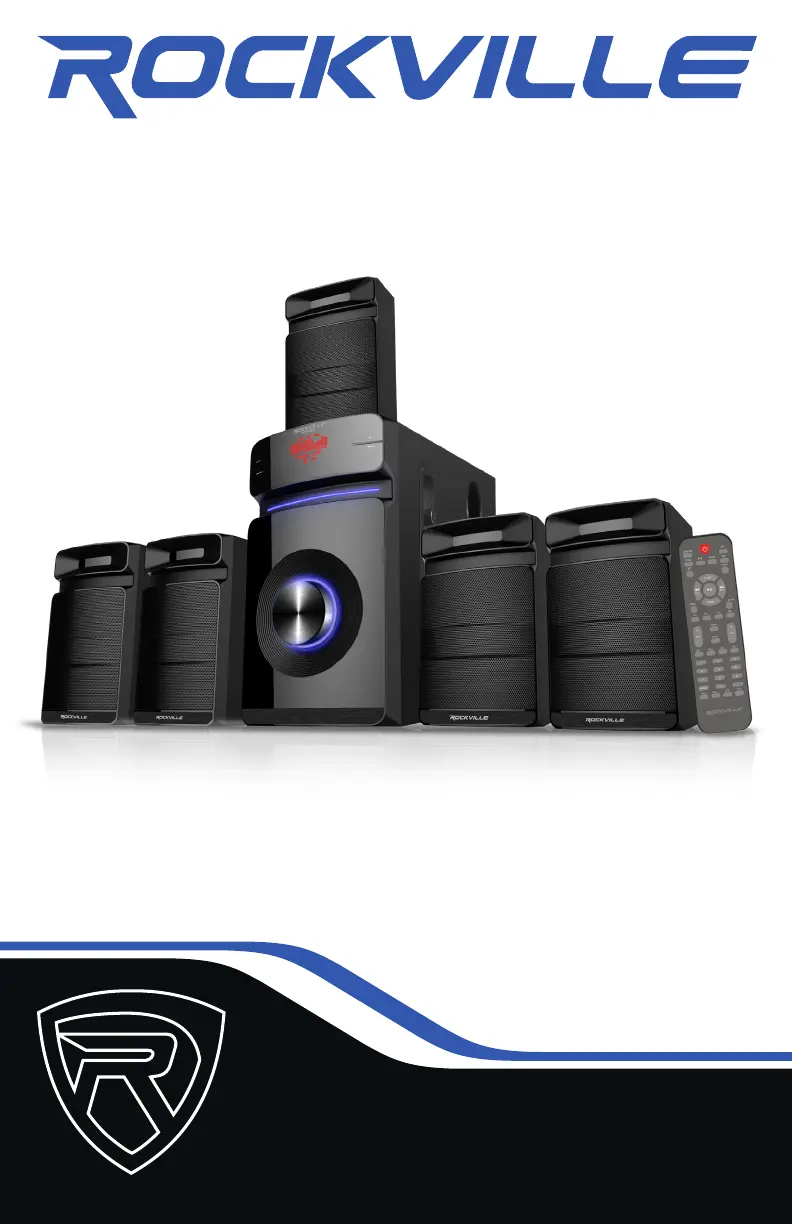
OWNER’S MANUAL
5.1 CHANNEL HOME THEATER AUDIO SYSTEM
HTS45HTS45

Questions and Answers

  • T
    thomas71Jul 28, 2025
    What to do if my Rockville Home Cinema speakers have no sound?
    • A
      ashleymcguireJul 28, 2025
      If your Rockville Home Cinema speakers have no sound, try these steps: 1. Ensure the correct source is selected. 2. Verify all speakers are properly connected. 3. Check the volume levels of individual speakers and the master volume. 4. Check the volume settings of the input source. 5. Confirm external speakers are selected in your TV's sound output settings. 6. Deactivate Dolby Pro-Logic, Dolby ATMOS, etc., and select PCM in your TV’s sound format settings. 7. Check all connections between the receiver and the input source.
  • B
    Benjamin ColeAug 1, 2025
    Why is Bluetooth pairing failing on my Rockville Home Cinema speakers?
    • V
      Vanessa MorenoAug 1, 2025
      If Bluetooth pairing fails on your Rockville Home Cinema speakers, try the following: 1. Ensure both devices are on and your Bluetooth device is discoverable. 2. Turn both devices off and on again. 3. Select the correct source. 4. Keep the Bluetooth device within 5 feet of the unit. 5. Move devices away from other Bluetooth devices, microwaves, wireless routers, and electronics. 6. Ensure the unit isn't paired with a previously connected device.
  • A
    Ashley LarsonAug 7, 2025
    How to fix no sound from mics on Rockville HTS45 Home Cinema speakers?
    • M
      Melissa HaneyAug 7, 2025
      If your Rockville Home Cinema speakers' mics have no sound, make sure: 1. The mics are on and properly connected. 2. The mic volume is turned up. 3. The individual speaker and master volumes are at audible levels.
  • L
    Lisa HaasAug 11, 2025
    What to do if my Rockville HTS45 Home Cinema speakers have no power?
    • A
      Amanda WellsAug 11, 2025
      If your Rockville Home Cinema speakers have no power, ensure the unit is plugged in and the power switch is in the ON position.
  • S
    Savannah Curtis MDAug 17, 2025
    Why won't my Rockville HTS45 Home Cinema speakers play from SD or USB?
    • S
      Sarah HendersonAug 17, 2025
      If your Rockville Home Cinema speakers aren't playing from an SD or USB memory device: 1. Ensure the correct source, USB/SD, is selected. 2. Verify the audio files are in the correct format. 3. Make sure the SD card or USB drive is properly plugged in. 4. Check the SD card or USB drive for damage.
  • J
    Javier WrightAug 21, 2025
    How to improve radio reception on Rockville Home Cinema speakers?
    • P
      Paul MarquezAug 21, 2025
      To improve poor or no radio reception on your Rockville Home Cinema speakers, ensure the antenna cables are properly connected and positioned above the unit.

Summary

Important Safety Instructions

General Safety Precautions

Follow warnings regarding speaker placement, water exposure, heat sources, and cleaning procedures.

Setup and Connections

Component Connections

Connect audio sources via RCA AUX, DVD Audio, Coaxial, or Optical inputs.

Speaker Positioning

Guidelines for optimal placement of subwoofer, center, front, and satellite speakers for best sound.

Optional Wall Mounting

Instructions and tools required for mounting speakers to the wall securely.

System Functions and Operation

Front Panel Functions

Details the controls and ports on the front of the unit, including USB, SD, and microphone jacks.

Rear Panel Connections

Details the input and output connections on the rear of the unit, such as Coaxial, Optical, and RCA.

Remote Control Functions

Guides on using the remote for source selection, playback, volume, tuning, and special functions.

Operating Modes

Instructions for connecting via Bluetooth, Optical, FM Radio, and USB/SD playback.

Product Details and Troubleshooting

Features and Specifications

Lists system features, power ratings, speaker dimensions, frequency response, and input voltage.

Troubleshooting Common Issues

Solutions for problems like no power, no sound, mic issues, Bluetooth pairing, and poor radio reception.

FCC Compliance Information

Details compliance with Federal Communications Commission rules for RF energy and interference.

Rockville HTS45 Specifications

General IconGeneral
BrandRockville
ModelHTS45
CategoryHome Cinema speakers
LanguageEnglish

Related product manuals