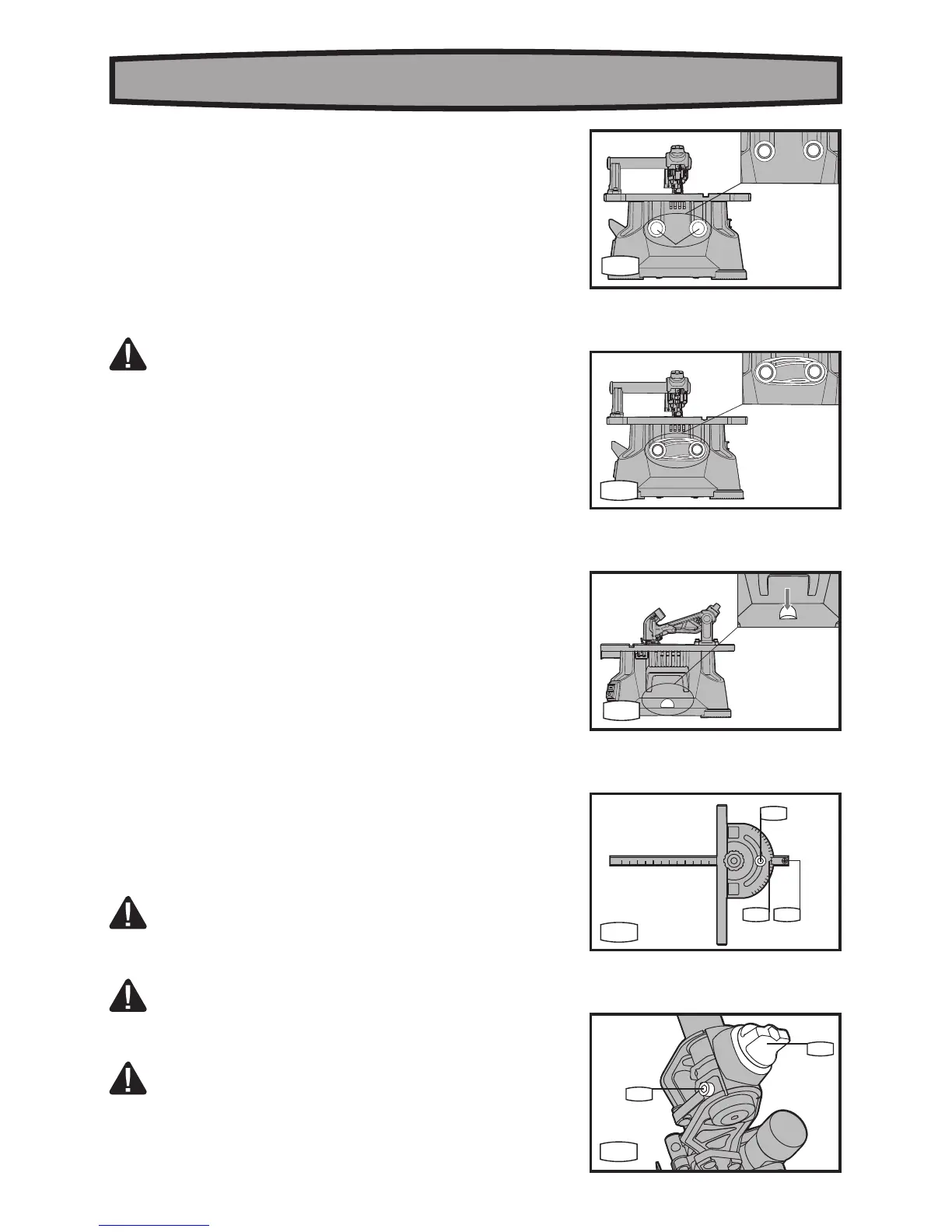
b) Power cord (See Fig. D1,D2)
For easy storage, the power cord can be wrapped on the cord
wrap (23) on back side of the BladeRunner
®
.
c) Mounting holes (See Fig. E)
Securing the BladeRunner
®
to a workbench or other stable
surface during use is recommended. Use the mounting holes
provided and your own screws or clamps, or purchase the Wall
Mount, available separately.
ADJUSTMENT
REMOVE THE PLUG FROM THE SOCKET BEFORE
CARRYING OUT ANY ADJUSTMENT, SERVICING OR
MAINTENANCE.
1. MITER GAUGE POINTER ADJUSTMENT (See Fig.F)
To check your miter gauge accuracy, use a combination square (not
provided) to make sure the miter gauge body is 90 degrees to the
shaft.
a) Loosen the miter gauge angle scale lock knob (20).
b) Rotate miter gauge body until it is 90 degrees to the square.
c) Tighten the lock knob (20).
d) If the red line of the pointer is not aligned with the 0 degrees
mark at a 90 degrees angle, then adjust the screw (c), rotate the
pointer to 0 degrees, and tighten the locking screw (c).
2. GUARD ARM ALIGNMENT (See Fig.G)
For your convenience, the guard arm has already been adjusted to
be aligned with the placement of the blade at the factory. However,
you may also adjust it by following the instructions below:
a) Loosen guard arm clamping knob.
b) Loosen adjustment screw (d) under the arm pivot.
c) Move the the guard arm inward or outward along the support
arm until the blade locates exactly between the guide bearings
without any bending of the blade.
d) Tighten the locking knob, tighten the adjustment screw.
OPERATION
WARNING: Always wear safety goggles or safety glasses
with side shields when operating tools. Failure to do so could
result in objects being thrown into your eyes causing possible
serious injury.
WARNING: Do not use any attachments or accessories not
recommended by the manufacturer. The use of attachments
or accessories not recommended can result in serious personal
injury.
WARNING: To reduce the risk of injury, the operator should
use the accessory or attachment according to the instruction.
When the machine is not in use and to prevent unauthorized use, the
switch should be locked in the “OFF” position. To do this, pull the
locking key out of the ON/OFF switch and store the key in a secure




 To Next Page