1. LOCO SELECTION
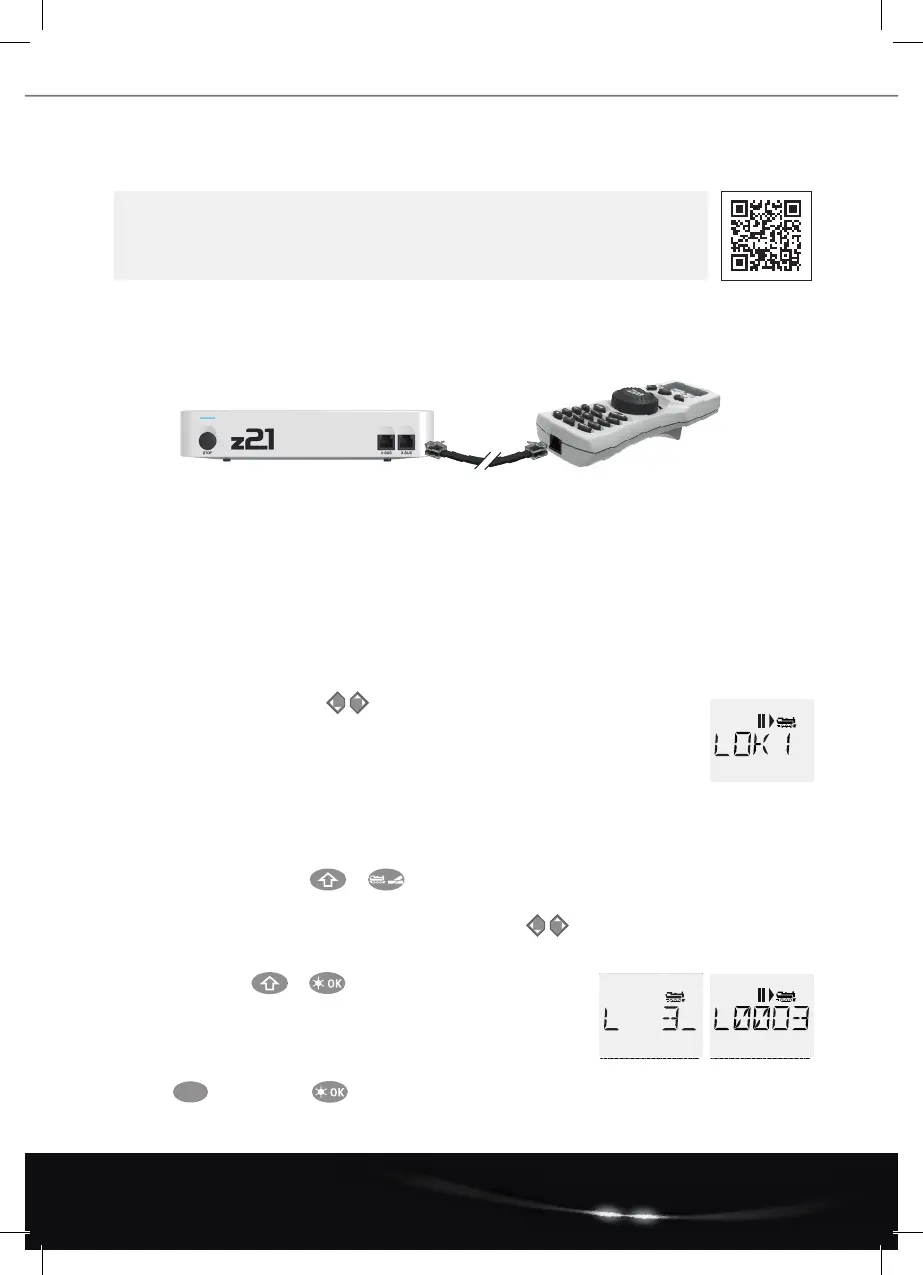
To control your loco with the multiMAUS or to change settings, you must rst select the loco. There are two ways
to do this: the library mode or the address mode. The rst time you switch on your multiMAUS, it will start in library
mode.
1.1 Library Mode
In the library mode of the multiMAUS, your locos are sorted by their names. To select the loco you want to control, simply scroll
through the library using the arrow keys.
When you switch on your system, the multiMAUS display shows the name of the last loco used. When you
switchonforthersttime,thedisplaywillshow“LOCO1”orthefactory-assignednameofyourstartersetloco.
1.2 Address Mode
Alternatively, you can also control the locos by entering the decoder address. The decoder is located in your digital loco and
receives the control signals from your multiMAUS. All locos have preset address 3 at the factory.
• By pressing the key combination + you can switch between library mode and address mode and back.
• You can reach the desired decoder address either by using the arrow keys or by entering the address
of the loco directly.
• Todothis,rstpress+
• Theadjacentdisplay2appears.Enterthelocoaddressinthenumbereld.
• For example, to enter the loco with decoder address “3”
pressandconrmwith
def 3
*Thespeciedfunctionalitiesreferonlytothisquickreferenceguide.
Further functionalities of the multiMAUS and more information can be found
on our website: www.z21.eu
Connection to the Z21:
Thank you very much for choosing one of our
DIGITAL STARTER sets!
Loco/Turnout key for switching
between locomotive and turnout control
Menu key for selecting
conguration variables (CV)*
A5_MultiMaus_Kurzanleitung_02.02.2022_ENG.indd 4A5_MultiMaus_Kurzanleitung_02.02.2022_ENG.indd 4 15.02.22 16:1115.02.22 16:11


 To Next Page
 Loading...