Rocstor Rocpro T24 [17]
RAID Settings
A. If installed HDD was used for RAID on other devices, please assure that previous RAID info in
HDD has been successfully removed/erased and HDD has been reformatted.
B. Please backup all data before configuring/changing to desire RAID mode.
C. JBOD: To use individual capacity of each installed HDD.
D. RAID-0: Only enhances the performance of data accessing, it does not provide backup/fail-safe
for stored data.
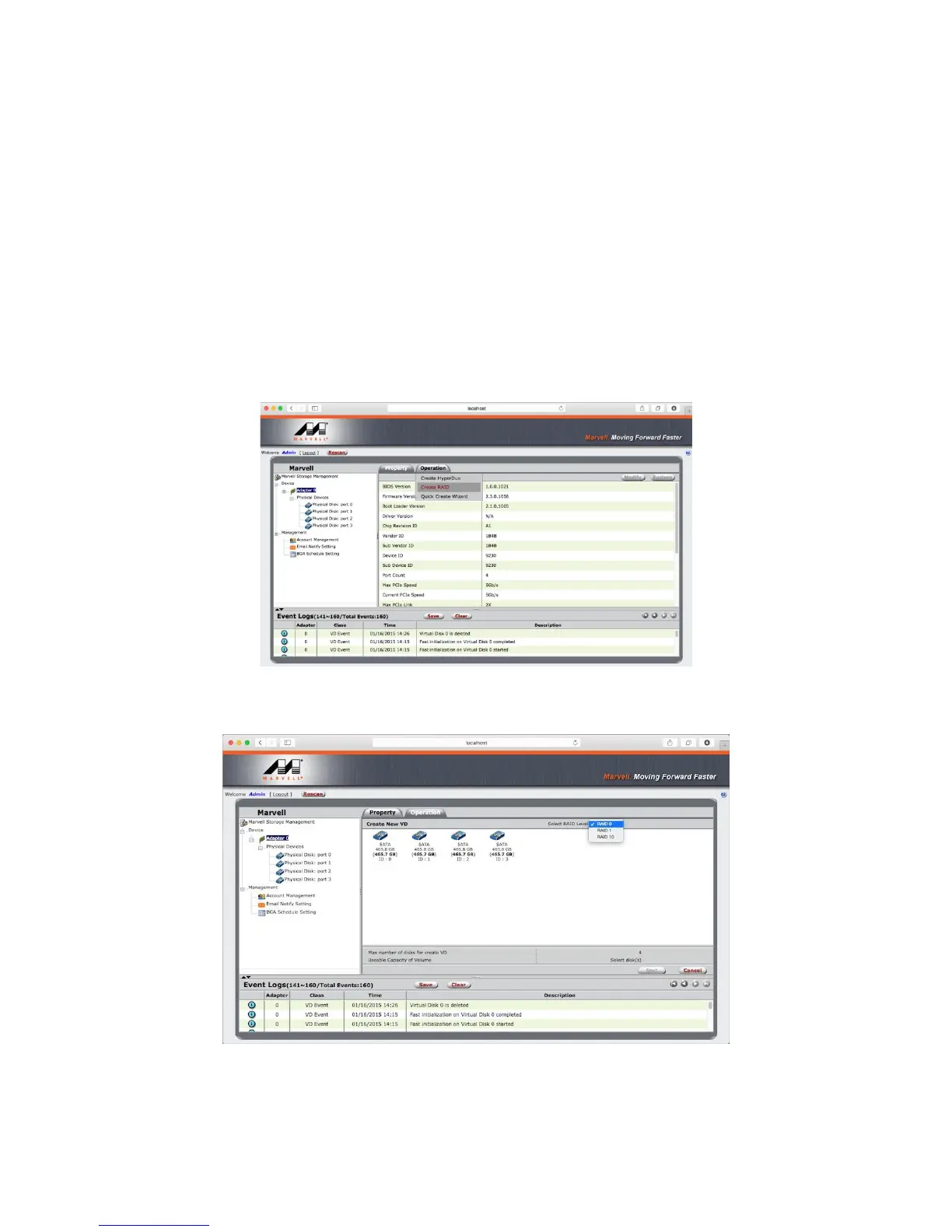
Step 1. Please select “Device” > “Adapter” > “Operation” > “Create RAID”.
Step 2. Choose for desired RAID level.
Step 3. Please select desired HDD(s) for proceeding with RAID configuration.












 To Next Page