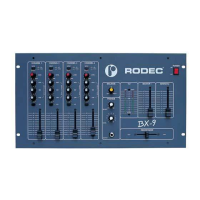
RODEC
4
50
limited edition
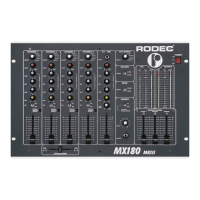
8) Phones-select potentiometer
With this potentiometer, the signal for the headphones output can be selected. When turned
completely to the left, the signal selected with the channel PFL-switches (9) appears on the
headphones. When turned completely to the right, the mix-signal appears on the headphones.
In between it results in a mix of the PFL-signal and the mix-signal.
9) PFL switches
With these switches you can select the different input sources that you will listen to with the
headphones.
10) Input selector
This switch is used to select the input signal: PHONO/AUX/CD/DAT/MD or
MICROPHONE.
11) Level adjuster
These controls are used to adjust input levels of the different inputs.
12) Equalizer controls
This is used to regulate the degree of treble, middle and bass in the sound.
13) Balance-Pan control
The balance between the amount of sound on the left and on the right is adjusted by using this
knob. When it is set to the center position, the gain is the same for the left and the right
channel.
14) Channel faders
Volume control for every input.
15) DJ micro input
Microphone input on XLR and JACK combination connector.
16) Level adjuster
Mike level for accurate adjustment of different types of microphones.
17) Equalizer
Triple tone control for DJ microphone.
18) Pan Mic
Panoramic control for the DJ-microphone input. With this button you can place the mike
signal somewhere between left and right.
19) Talk-over control
Variable stage gain control level music suppression.
20) DJ mike fader
Volume control for DJ mike
21) Master output fader
Volume controls final output of mixer towards slave or integrated amplifers.
22) Monitor output fader
Volume control for the signal level for the monitor output, this output does not contain the DJ-
mic signal.
23) Record Select
This switch is used to make recordings with or without the DJ microphone.
+ DJ MIC: in this position you add the signal of the DJ mike to the music.
- DJ MIC: in this position you record only the signal from channel 1 - 4 (8).
This switch has no influence on the master outputs.



 To Next Page