8 Smart Home Monitoring | Yale Door Lock | Manufacturer's Installation Guide
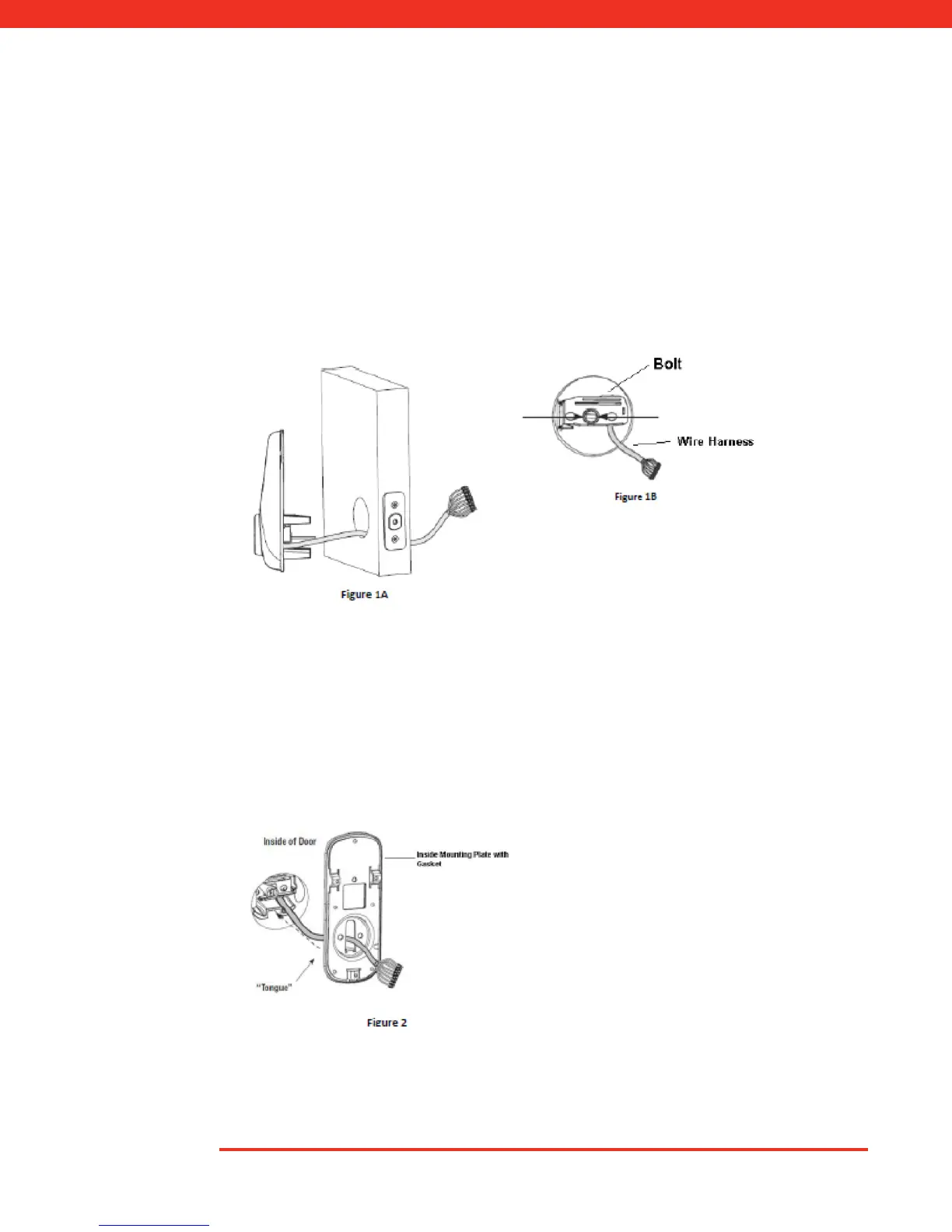
1. Install Outside Touchscreen side of the lock first (Fig. 1A). Route wire harness through
bore hole under bolt (Fig. 1B). Ensure tongue slides through black deadbolt hole
(Fig. 1B arrow pointed).
Note: Wire harness goes under bolt (Fig. 1B).
Installation
2. Holding the Outside Touchscreen side of the lock flush to the door, position the inside
mounting plate by first routing the wire harness through the mounting plate's 1/2" hole
(Fig. 2) then inserting mounting plate "Tongue" into groove at the bottom of the
touchscreen part of the lock.



 To Next Page