WWW.FOSCAM.COM FI8918/FI8918W User Manual
2.2 Camera Login
You can access the camera through IP Camera Tool or IE, Firefox, Google chrome, safari or
other stand browser directly.
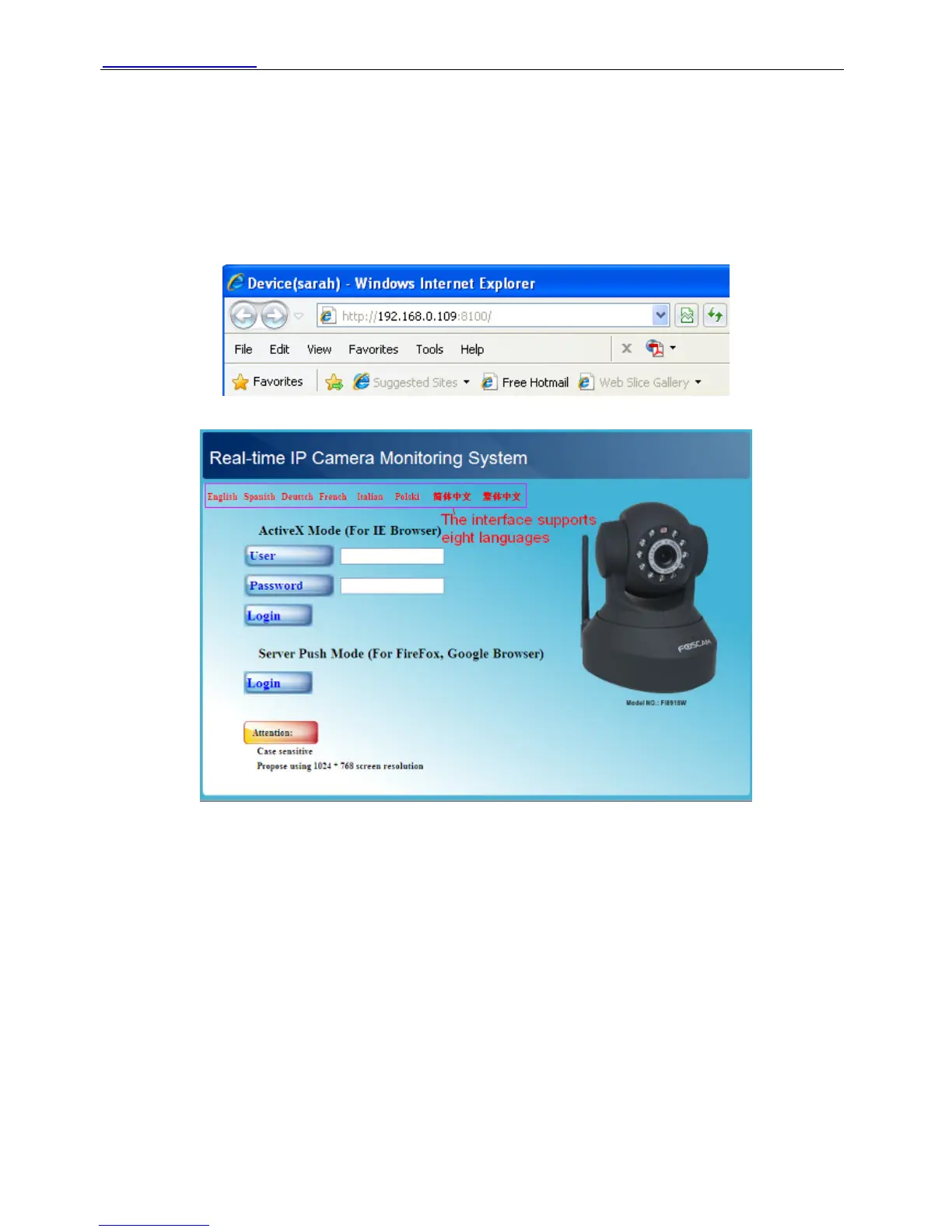
(1) Double click the IP address of the IP Camera listed (Figure 2.1).The browser you use will be
opened automatically and display the camera login page. (Figure 2.8)
(2) Access the camera by IE browser directly, type in the camera’s IP address. For example:
Figure 2.7
Figure 2.8
The default user is admin, no password.
There are two modes to login. If you use IE browser, please choose activeX mode to login. If you
use Firefox or Google chrome, please choose server push mode to login. (Figure 2.9)
Shenzhen Foscam Intelligent Technology Co., Limited
Tel: 86 755 2674 5668 Fax: 86 755 2674 5168
10


 To Next Page