WWW.FOSCAM.COM FI8918/FI8918W User Manual
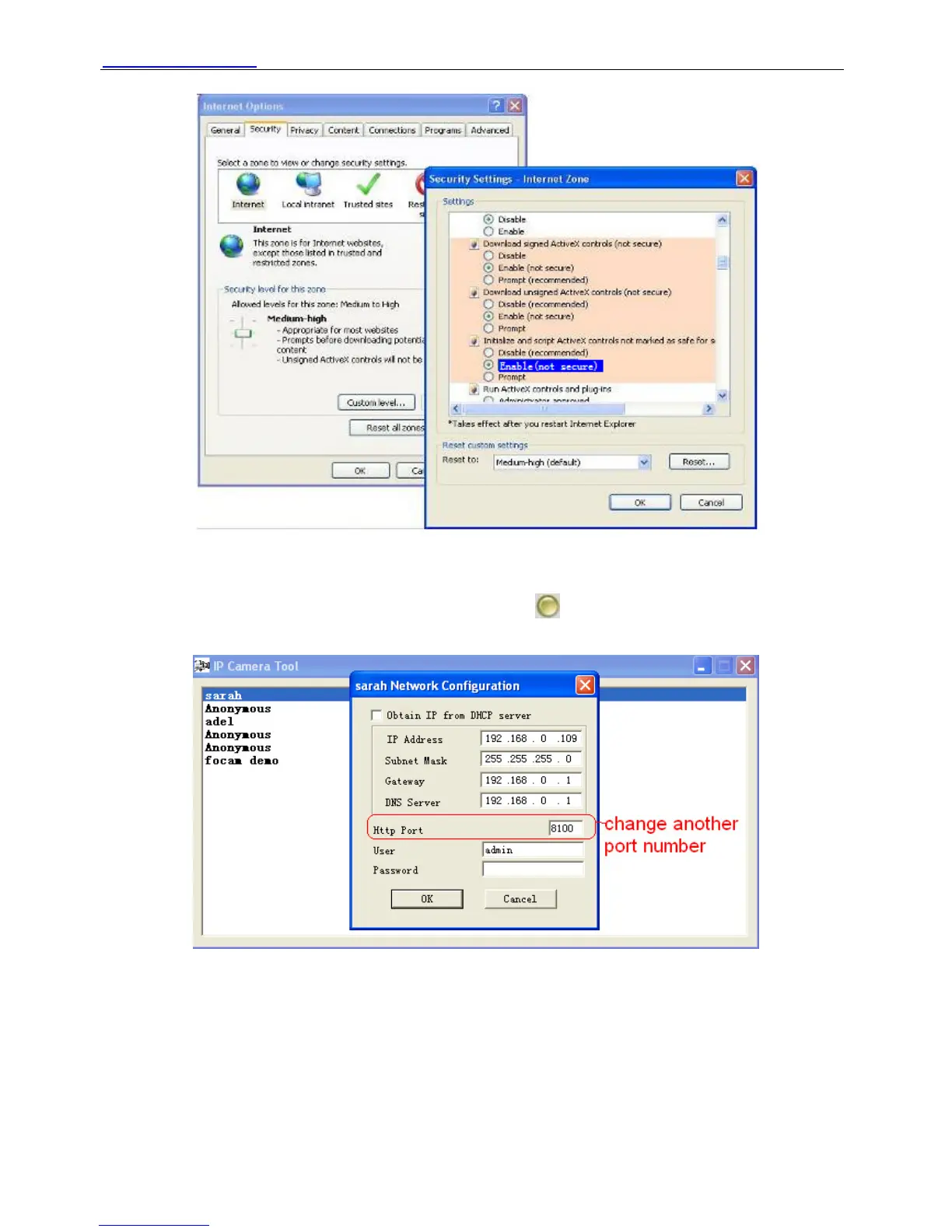
Figure 4.1
If you allow the activeX running, but still could not see living video, only a red cross in the center
of the video. There is a yellow light in the device status.
Not green. Please change another port number to try. Don’t use port 80, use port 85, 8005.etc.
Figure 4.2
NOTE: Make sure that your firewall or anti-virus software does not block the camera or activeX.
If you could not see video, please shut down firewall or anti-virus software to try again.
4.1.4 Can’t access IP camera in internet
There are some reasons:
Shenzhen Foscam Intelligent Technology Co., Limited
Tel: 86 755 2674 5668 Fax: 86 755 2674 5168
39


 To Next Page