EN
6
7. Operation
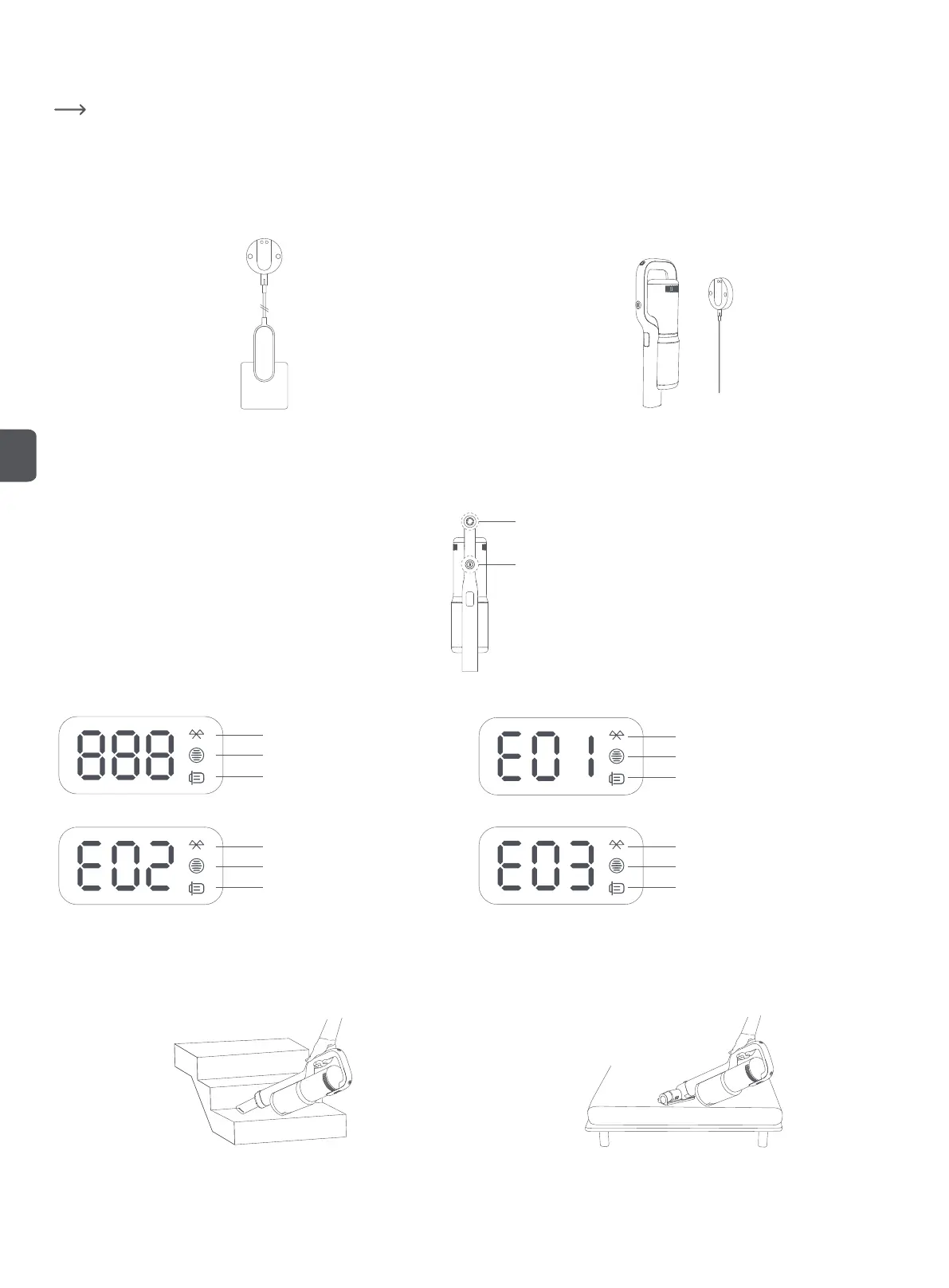
a) Charging
Fully charge the vacuum cleaner before first use.
• To charge, connect the power adapter to the charging port on the vacuum cleaner, then connect the other end of the power adapter to a wall outlet. It takes approx.
2.5 hours to fully charge.
Another way to charge the vacuum cleaner is using the wall-mounted charging dock:
1. Connect the charging dock to an AC power source via the power adapter. 2. Align the contact charging points and simply attach the vacuum cleaner to the
dock to charge. The value of power level on the display increases while being
charged, until battery is fully charged, the value turns to 100.
AC power source
b) Turning on/off
• Press the power switch to turn the vacuum cleaner on. The vacuum cleaner enters ECO mode by default. While operating, press the mode switch to switch between
ECO, STANDARD and BOOST modes.
Mode switch
Power switch
c) Digital screen display
Bluetooth connection
Dust cup full reminder
HEPA not installed
Restore to factory settings
Bluetooth connection
Dust cup full reminder
HEPA not installed
Brush roller overload protection
Bluetooth connection
Dust cup full reminder
HEPA not installed
Brush roller error
Bluetooth connection
Dust cup full reminder
HEPA not installed
NTC charging protection
d) Using accessories
Crevice tool: for tight spaces such as corners of doors, windows and stairs, etc. Mattress brush: for the surfaces of beds, curtains and other textile surfaces, and
removing mites.


 To Next Page