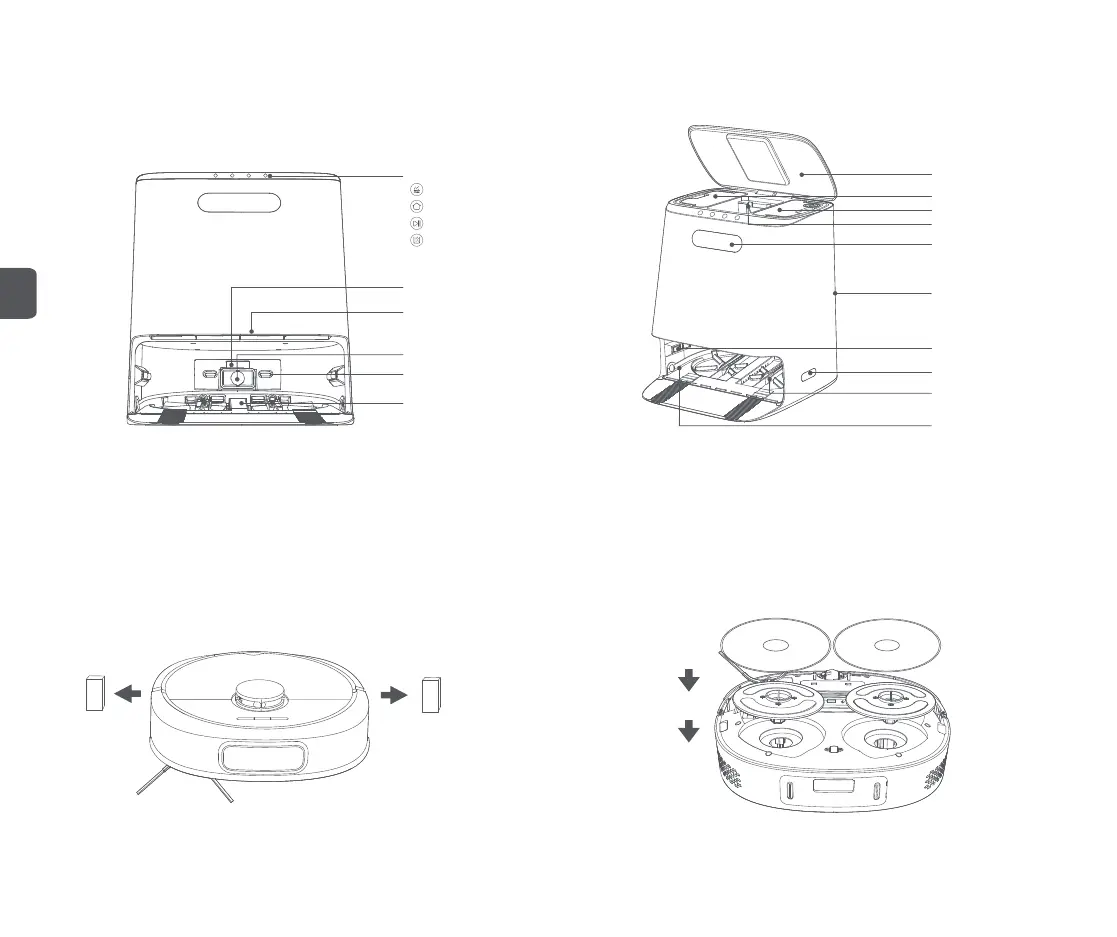
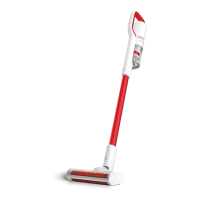
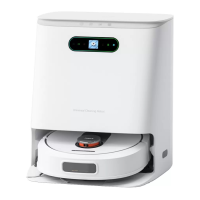
Base station
Quick product installation and use
6
Product use
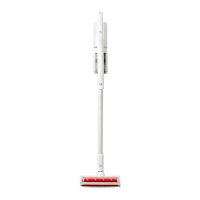
Step 1: Remove the protective material from the limit strips on both sides of the bumper;
Display screen
Top cover
Infrared lens (×2)
Cleaning disk
Water level contact
Guide wheels (×4)
Dust bag
Clean water tank
Dirty water tank
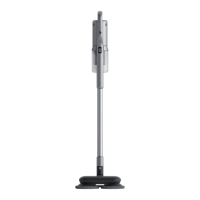
Step 2: Paste the mop on the mop support sticking area and install the mop support
component into the bottom groove;
Infrared lens
Charging ports (×2)
Dust collection port
Waste outlet
Long cleaning brush
Function buttons
Cleaning the mop
Recall/issue (robot cleaner)
Start/Pause (base station)
Automatic dust collection
Power connector
EN


 To Next Page