16
5. FUNCTIONALITY & PROGRAMMING
5.1. ON & OFF
To switch the product on, please press the button once. To switch the product off,
please press the button again. When you switch the product on for the rst time you
will be prompted to set the day and time. Use the buttons to select the correct hour
and press the button to conrm.
Next use the buttons to select the correct minute and press the button to
conrm. Then use the buttons to select the correct day and press the button to
conrm.
5.2. ADJUST THE DAY & TIME
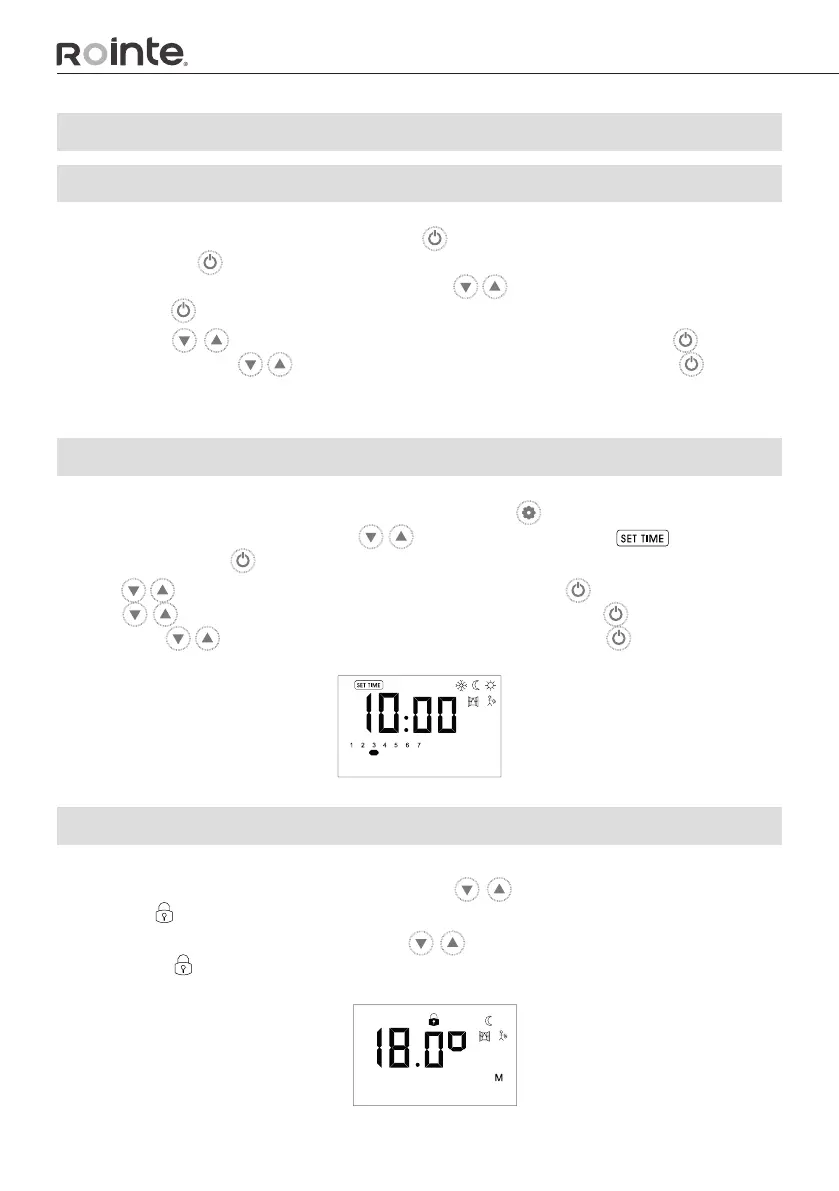
To adjust the day or time of the product, please press the button to access the Settings
Menu. Then you will need to use the buttons to scroll to the menu on the
screen and press the button to conrm.
Use the buttons to select the correct hour and press the button to conrm. Next
use the buttons to select the correct minute and press the button to conrm.
Then use the buttons to select the correct day and press the button to conrm.
5.3. LOCK THE KEYPAD
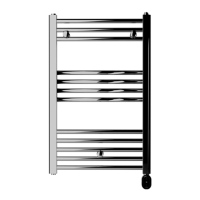
To lock the keypad, please press and hold the buttons at the same time for 3
seconds. A icon will appear at the top of the screen.
To unlock the keypad, press and hold the buttons again at the same time for 3
seconds. The icon will disappear from the top of the screen.


 To Next Page