What to do Step 3
Power up your remote
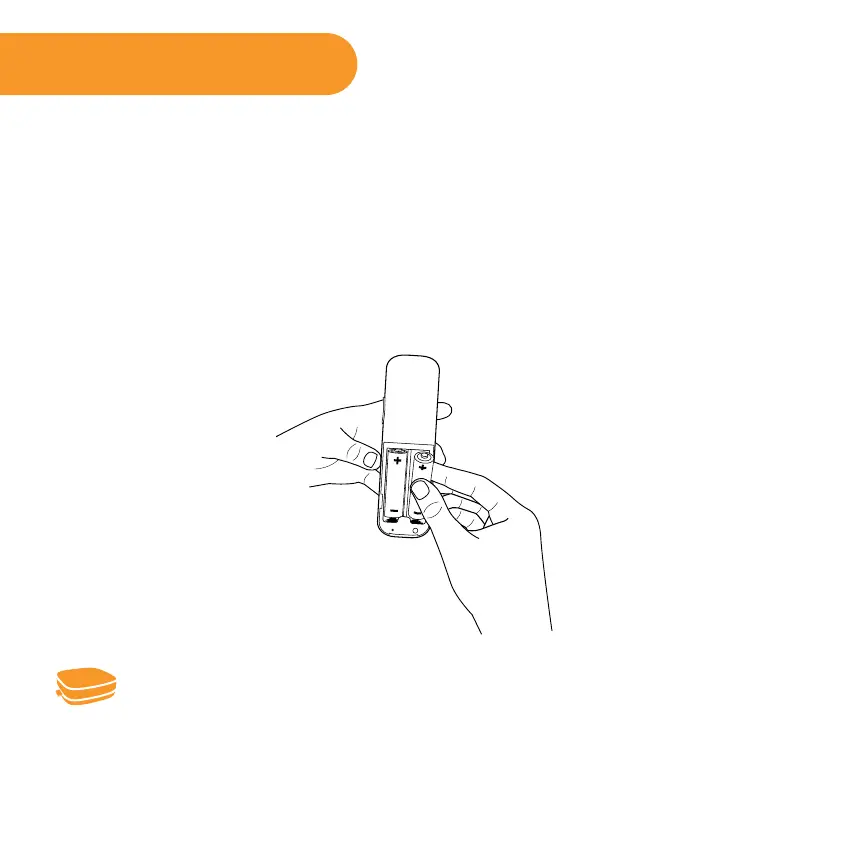
• Power your Roku remote by inserting the included batteries.
• Insert each battery, negative (-) side first, pushing it into the coil and then into
the compartment. DO NOT insert batteries positive (+) side first. Place the
battery door back over the compartment and press it gently down until the
latch snaps securely into place.
Never use damaged batteries. If your remote gets warm/hot during use,
discontinue use and contact Roku Customer Support immediately at
http://support.roku.com.



 To Next Page