What to do Step 4
Connect to your network
Step 4 establishes your network connection. You can do it! Just choose either
wireless or wired and read on for instructions:
Wireless: If you use a wireless network, grab that Roku remote and jump right into
Guided Setup. When prompted, select “Wireless” as your network connection and
have your network name and password ready. Then:
• Select your network from the list of available networks.
• Enter your network password, if you use one. Remember that network
passwords are case sensitive.
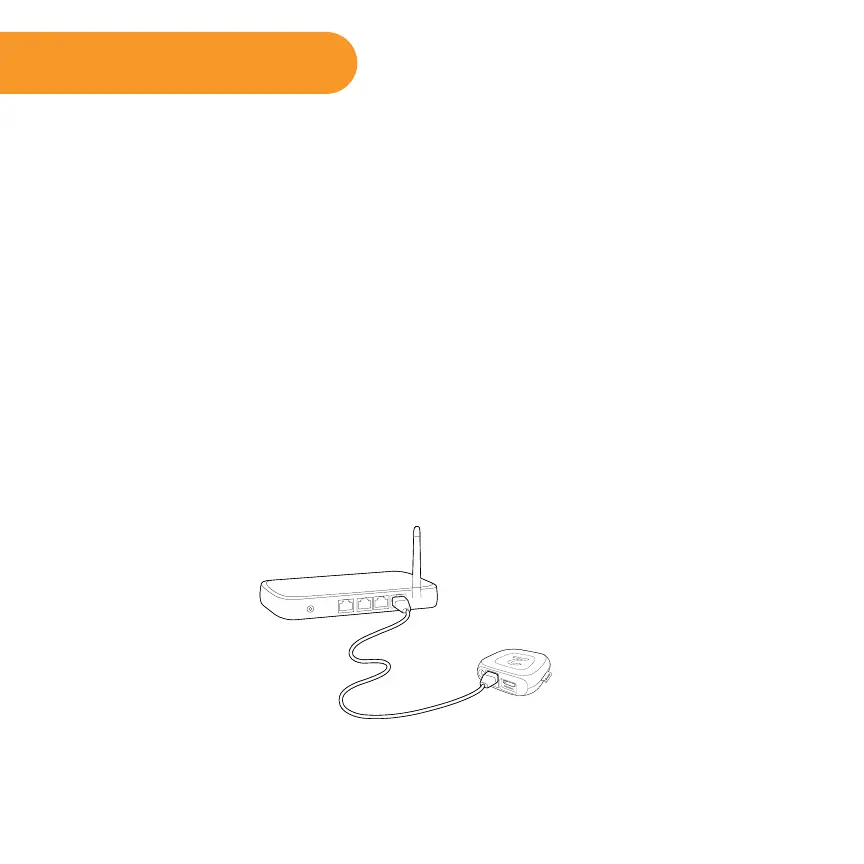
Wired: If you use a wired network, this step is a snap. Simply connect the Ethernet
port on the back of your Roku player to the back of your router with an Ethernet
cable (not included), and then use your Roku remote to select “Wired” from the
on-screen network options.
• Connect one end to the Ethernet port on the back of your Roku player.
• Connect the other end to an open Ethernet port on your router.



 To Next Page