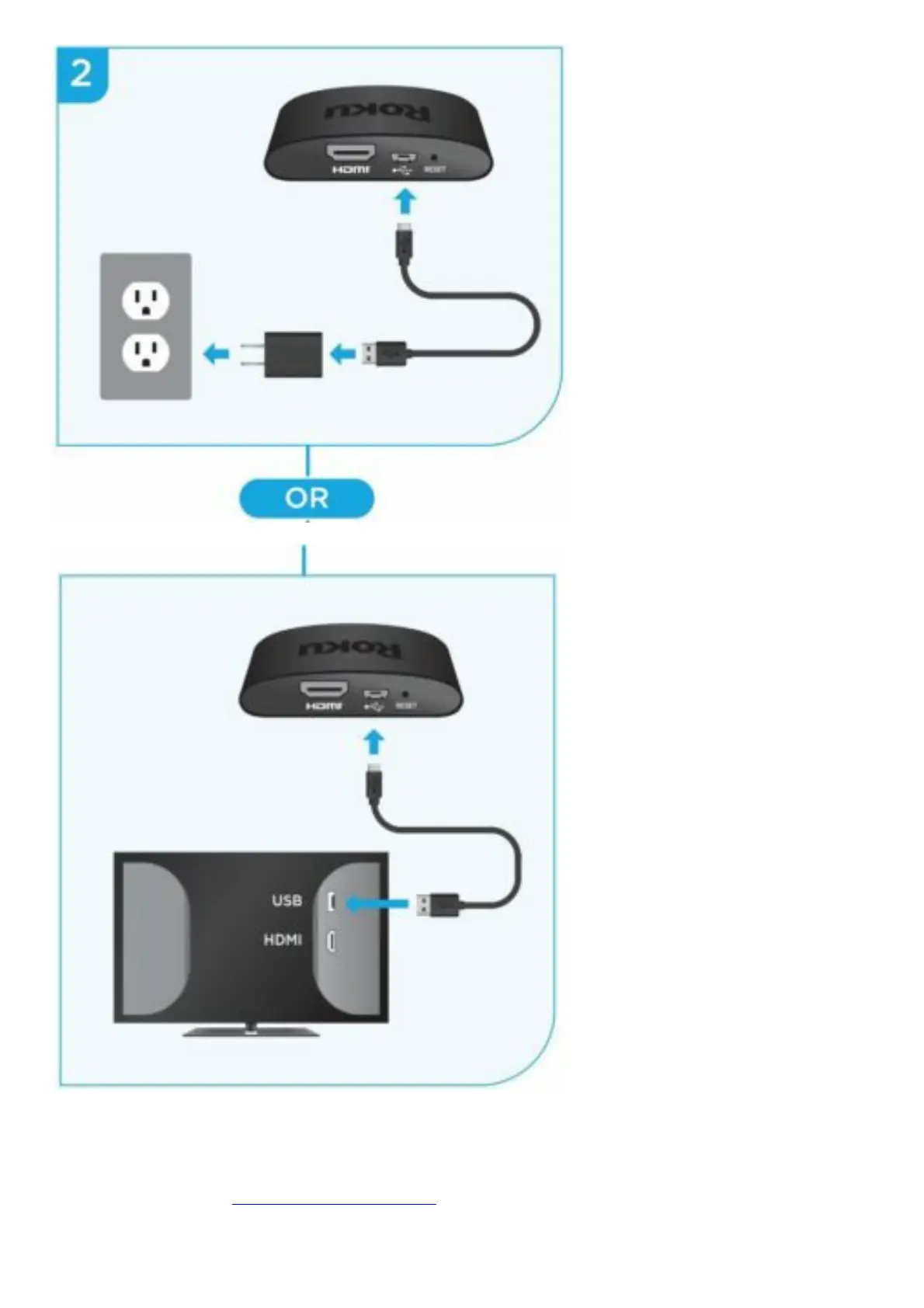
Or use the included USB power cable to connect to the USB port on your TV.
NOTE: See a red light on your streaming player?
That means the USB port on your TV is not providing enough power. Use the included power adaptor
instead. For help, visit go.roku.com/lowpower
STEP 3: Position Roku® streaming player






 To Next Page