A
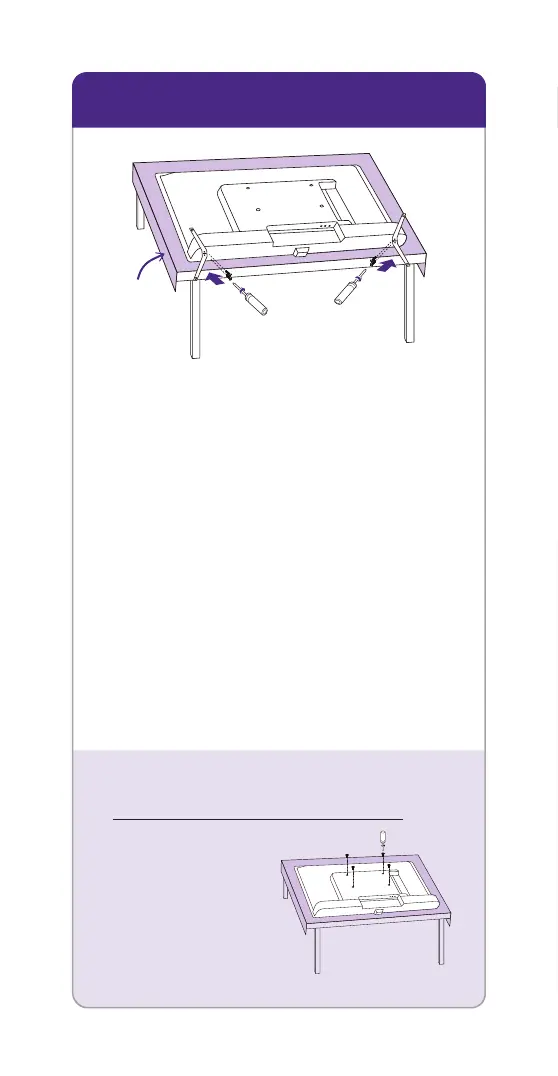
Prepare a surface
Put a soft covering like a
blanket down onto a clean,
flat surface (make sure it’s
larger than the TV) and place
the TV on it.
B
Attach the stands
Use a screwdriver and included
screws to attach the stands.
C
Set TV upright
Place your TV on a stable,
flat surface.
STEP 1: Set up your TV
Mounting your TV?
For instructions,
skip these steps
and visit
go.roku.com/TV
Blanket


 To Next Page