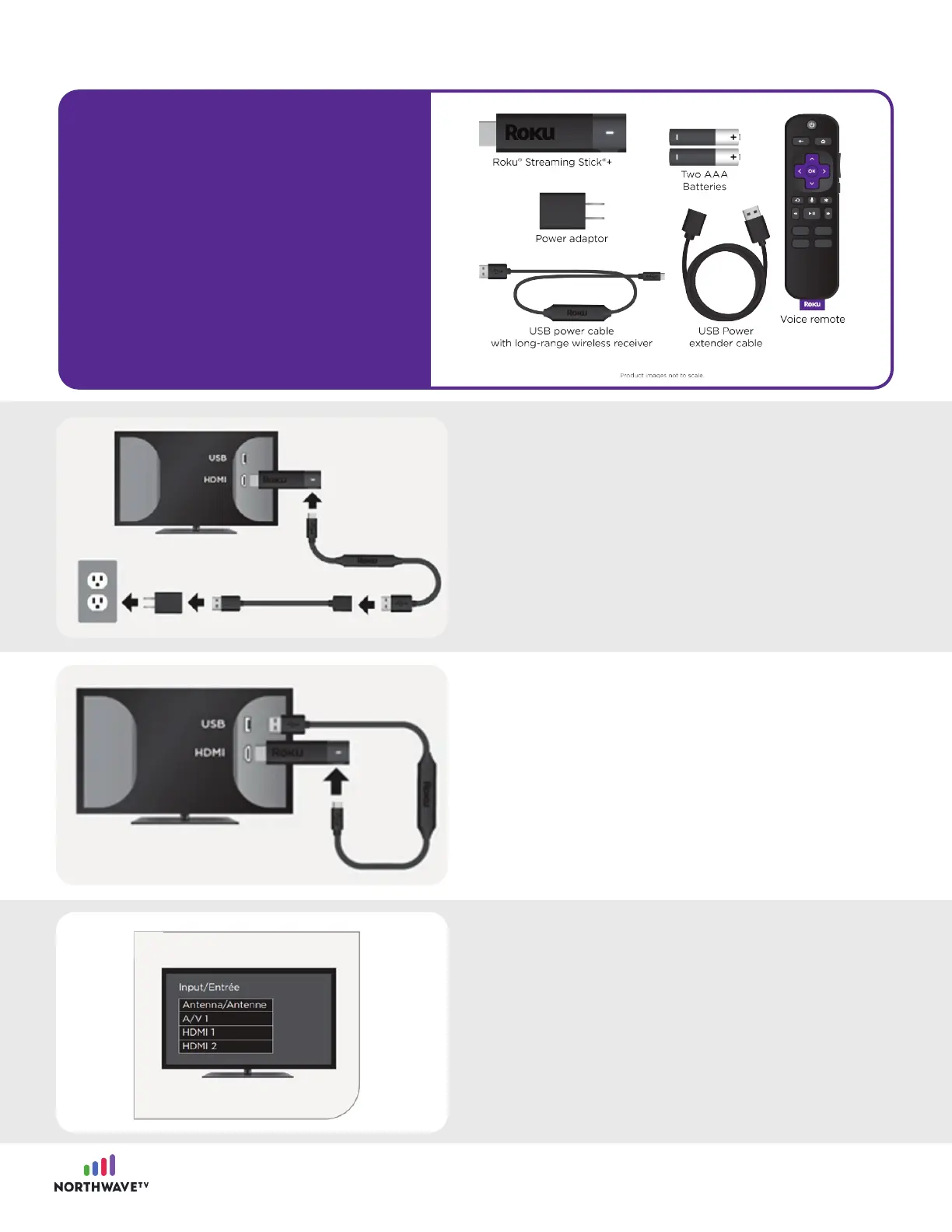
First, plug your Roku Streaming Stick into the
HDMI port of your TV. Next, use the USB power
cable, power extender cable, and power
adaptor to connect your device to an outlet.
Alternatively, you can use the included USB
power cable to power your device from the USB
port on your TV.
Note: The USB port on some TV’s may be unable
to power your device. If you see the on-screen
warning message that appears in these cases,
use a wall outlet.
Next, power on your TV and select the correct
input.
Step #2: Getting started and connecting in your Roku Streaming Stick
What’s included
in your Roku
Steaming Stick
package?
3

















 To Next Page