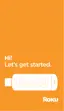
Follow the on screen instructions to pair your
remote to your streaming stick.
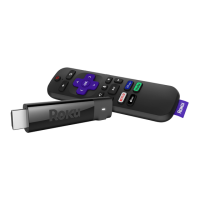
Once paired, you will see this setup screen to
get started with your preferences.
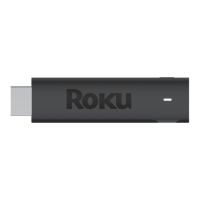
After clicking your language choice, your
device will need to connect to your home WiFi
network.
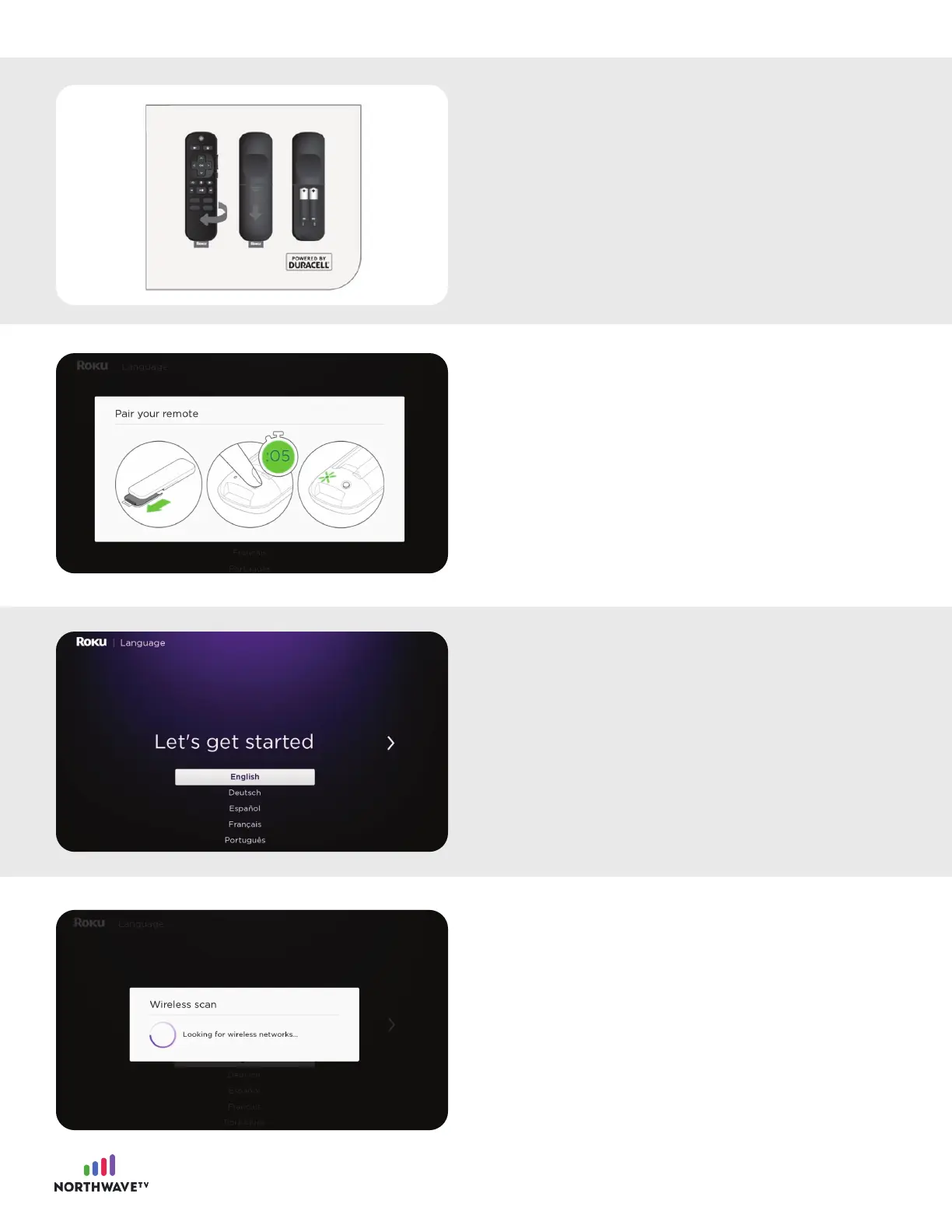
After you’ve selected the correct input, insert
the batteries into the Roku Streaming Stick
remote and begin the pairing process.
4

















 To Next Page