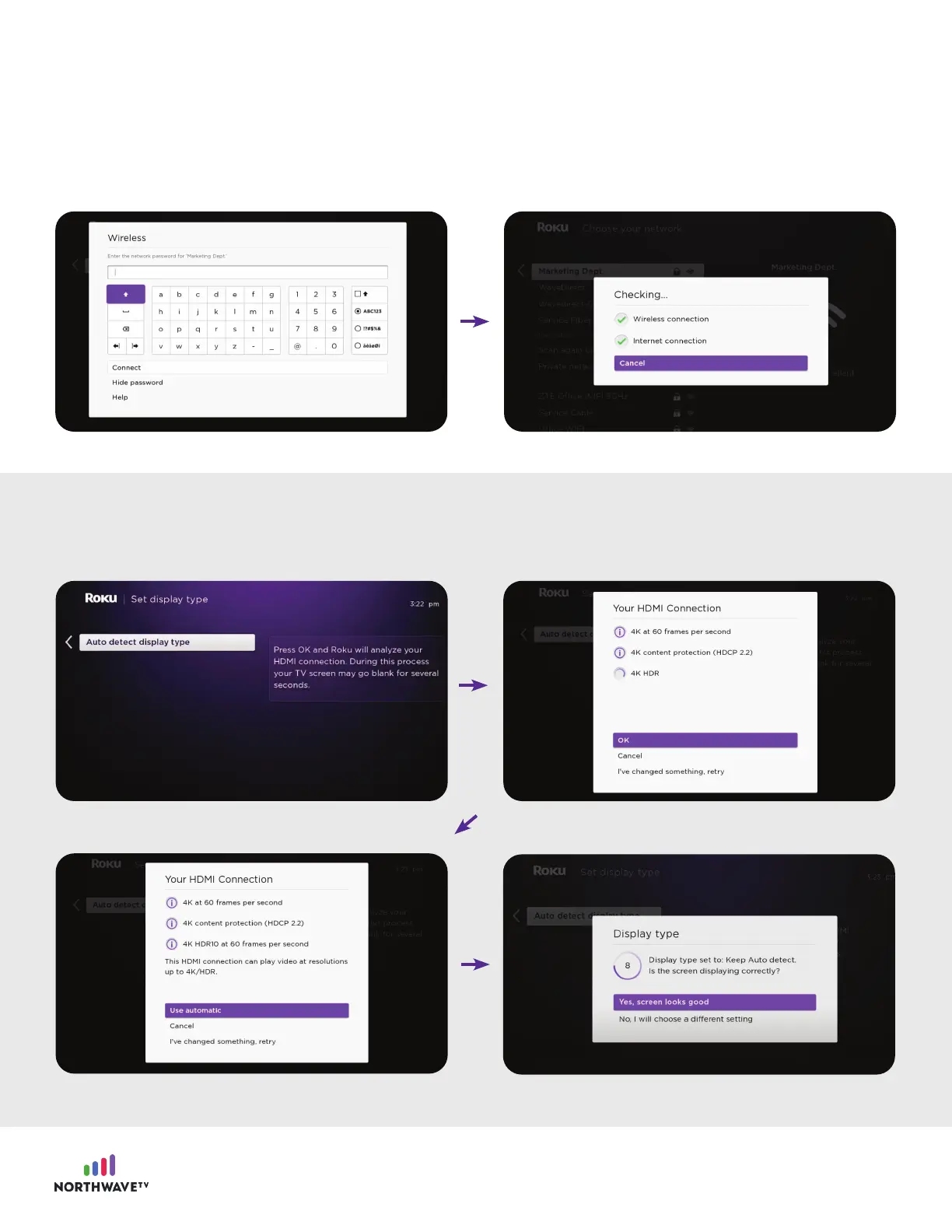
Click “Auto detect display type”, once completed click “Use automatic” and click “Yes, screen looks
good”.
Choose your home network and input your WiFi password.
Once your device establishes a network connection, you will be promted to set up your display type.
*You may notice that your Roku requires an update, click okay and allow it to continue.
5

















 To Next Page