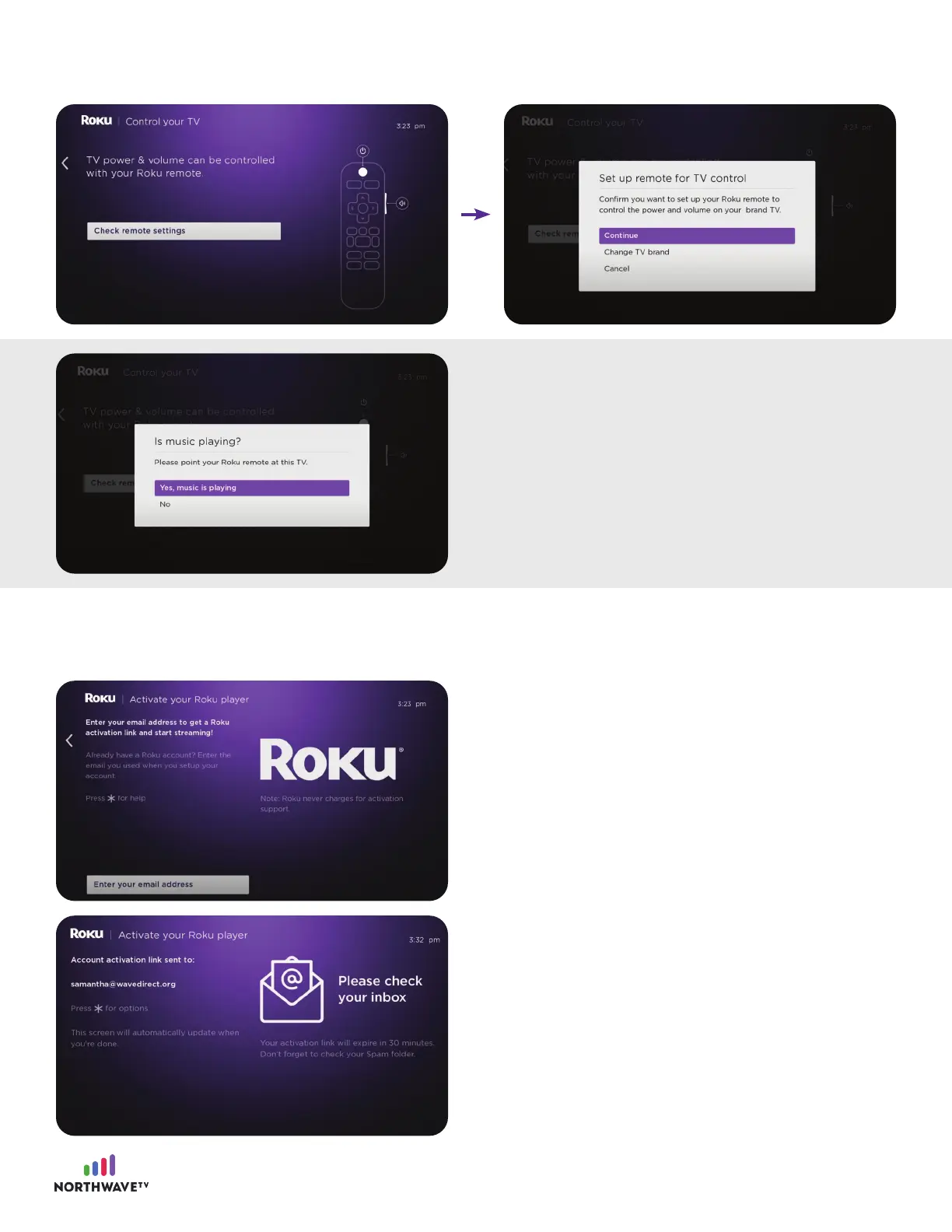
You need to pair your Roku account with your
device. Click enter your email address.
Step #3: Link your device
During the set-up on your TV you will be asked to log into your Roku account.
Next, check your email inbox for your email
activation link.
You should hear music, click yes, music is
playing.
You should hear the music stop, click okay.
Set up your Roku remote. Click check the remote settings. You will be asked if you want to set up
your Roku remote to control the power and volume on your tv, click continue.
6

















 To Next Page