WHAT TO DO STEP 3 (CONTINUED)
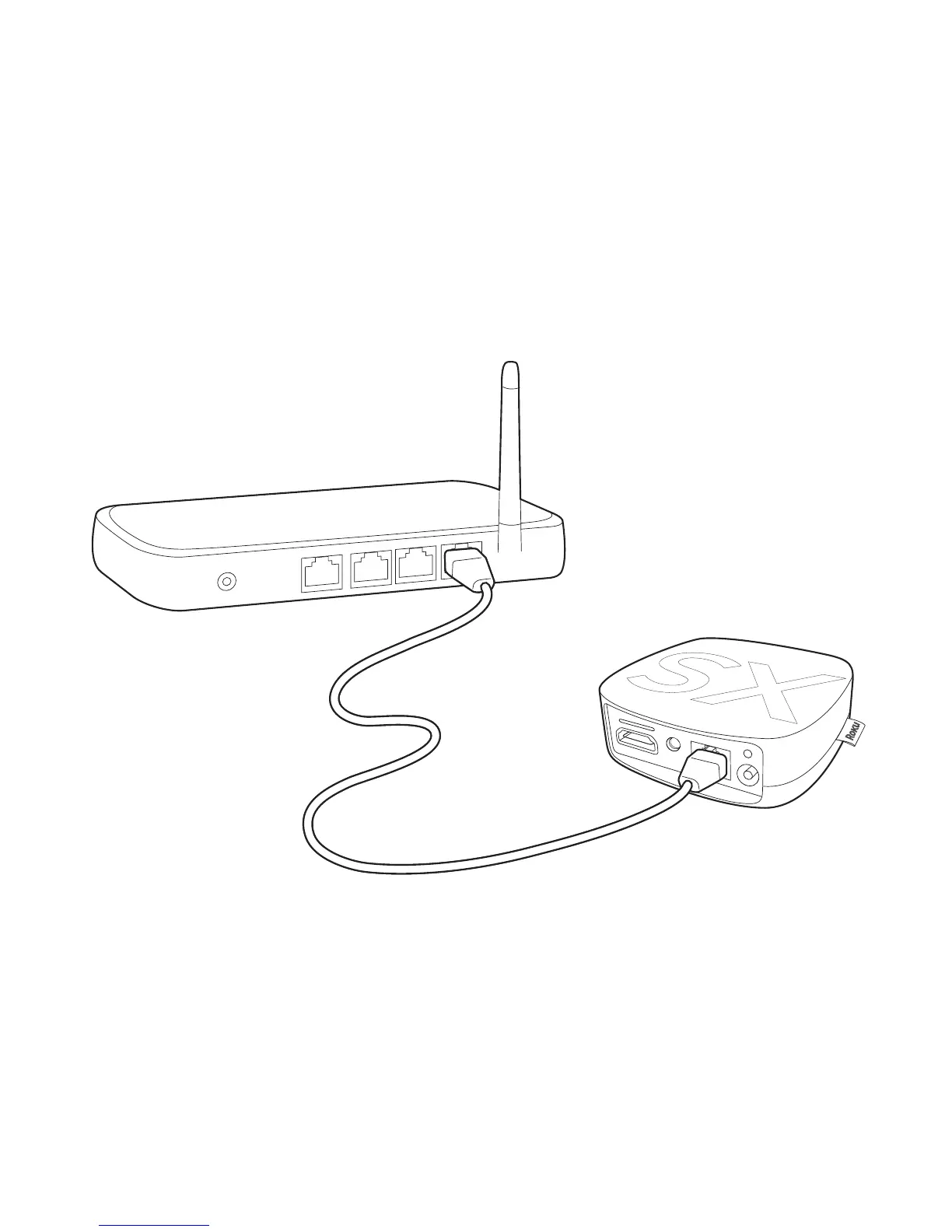
WIRED: If you use a wired network, this step is a snap. Simply make the two
connections depicted in the diagram below, and then use your Roku remote to
select “Wired” from the on-screen network options.
• Connect one end to the Ethernet port on the back of your Roku player.
• Connect the other end to an open Ethernet port on your router.



 To Next Page