EasyManua.ls Logo

Roland Acoustic Chorus AC-33 - User Manual

Roland Acoustic Chorus AC-33
17 pages
Print Icon
To Next Page IconTo Next Page
Loading...
Português Italiano DeutschNederlands Español Français
English
Owners Manual
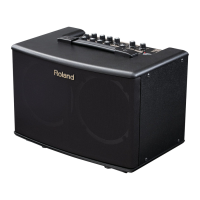
30 W acoustic guitar amp provides stereo sound in a compact unit
• High-effi ciency 30 W stereo power amp (15 W + 15 W) (when using AC adaptor)
• Compact size for convenient portability or home use
• Two custom 5 inch (12 cm) speakers deliver ideal sound for acoustic instruments
Dual power allows operation using eight AA batteries or an AC adaptor (p. 4)
• Dual power supply lets you use the AC-33 to perform anywhere.
• Rechargeable (nickel-metal hydride) batteries are also supported.
Performing time is approximately 8 hours when using alkaline batteries, and approximately 9 hours when using nickel-metal hydride batteries.
Two-channel design lets you use a guitar simultaneously with a microphone or line source (p. 8)
• Flexibility to cover a wide range of uses, including a guitar duo or a singer/instrumentalist (p. 12).
• Stereo AUX IN connector lets you connect your CD or portable audio player (p. 6).
• You can connect the LINE OUT connector to an external PA system, and use the AC-33 as a monitor during your live performance (p. 9).
• The headphone jack is convenient for night-time practice or during a sound check (p. 6).
Looper function lets you easily record, play, and overdub without needing any other equipment (p. 10)
• You can record your own performance as a backing, and then play it back as an accompaniment for your solo (p. 13).
• Up to 40 seconds of recording time is available. You can also record the AUX IN signal in stereo.
• A separately available foot switch (FS-5U or FS-6) lets you control the Looper function with your foot (p. 11).
Easily-operated eff ects, plus an Anti-Feedback function (p. 11)
• Three types of onboard stereo e ects are o ered, so you can add a natural sense of spaciousness to the sound of your acoustic guitar (p. 7).
• Anti-Feedback function lets you suppress feedback simply by switching on this function (p. 11).
Before using this unit, carefully read the sections entitled: “USING THE UNIT SAFELY and “IMPORTANT NOTES” (p. 2; p. 3). These sections provide
important information concerning the proper operation of the unit. Additionally, in order to feel assured that you have gained a good grasp
of every feature provided by your new unit, Owner’s manual should be read in its entirety. The manual should be saved and kept on hand as a
convenient reference.
Copyright © 2009 ROLAND CORPORATION
All rights reserved. No part of this publication may be reproduced in any form without the written permission of ROLAND CORPORATION.

Questions and Answers

  • L
    Lori HortonJul 26, 2025
    Why is there no sound from my Roland Acoustic Chorus AC-33 Musical Instrument Amplifier?
    • R
      Robert ThomasJul 26, 2025
      Several factors could be causing the lack of sound. First, verify that all external equipment is correctly connected. If headphones are connected, the speakers will be muted, so disconnect them to hear sound from the speakers. Ensure that each channel’s level knob and the [VOLUME] knob are properly adjusted. Also, check the AUX IN [LEVEL] knob. Finally, low batteries can cause sound issues. If the POWER indicator is dim or blinking, replace the batteries.
  • J
    John RileyAug 3, 2025
    What to do if my Roland Musical Instrument Amplifier power will not turn on?
    • S
      samantha88Aug 3, 2025
      If your Roland Musical Instrument Amplifier isn't powering on, make sure the AC adapter and AC cord are correctly connected. Also, verify that the AC cord is properly connected to a functioning AC outlet. If you're using batteries, ensure they are installed correctly and are not depleted.
  • M
    macdonaldcharlesAug 9, 2025
    Why is the sound distorted on my Roland Acoustic Chorus AC-33 Musical Instrument Amplifier?
    • A
      Amber GarciaAug 9, 2025
      Sound distortion from your Roland Musical Instrument Amplifier can occur if each channel’s level knob or the [VOLUME] knob are set too high, so try lowering them. Also, check if the input level from the connected device is appropriate; reduce it if necessary.
  • W
    William BrandtAug 18, 2025
    Why is the volume insufficient on my Roland Acoustic Chorus AC-33 Musical Instrument Amplifier?
    • L
      Linda HinesAug 18, 2025
      If you're experiencing insufficient volume with your Roland Musical Instrument Amplifier, first check that each channel’s level knob and the [VOLUME] knob are correctly adjusted. Also, ensure the input level from the connected device is appropriate. Avoid connecting multiple devices to the AUX IN jack, as this can reduce volume. Finally, low batteries can cause this issue, so replace them if the POWER indicator is dim or blinking.

Summary

Product Overview

Key Features of the AC-33

Compact 30W stereo amp with dual power, two-channel design, looper, and effects.

Safety Precautions

General Safety Guidelines

Covers essential safety rules for operation, placement, power, and handling.

Important Notes

Power Connection

Connecting the AC Adaptor

Step-by-step guide for connecting the AC adaptor to the unit and power outlet.

Battery Installation and Precautions

Instructions for installing/removing batteries, types, and essential handling precautions.

Producing Sound

Power On;Off and Guitar Connection

Steps for powering up, connecting guitar, and initial volume settings.

Audio Input and Output

Applying Effects

Control Panel Overview

Jack Panel Connections

Looper Function Guide

Recording and Playing Phrases

Steps to record, play back, and overdub phrases using the looper.

Anti-Feedback Function

Understanding and Using Anti-Feedback

Explains acoustic feedback and how to enable the anti-feedback function.

Troubleshooting Guide

Power and Sound Issues

Solutions for unit power problems, no sound, distorted sound, or insufficient volume.

Main Specifications

Roland Acoustic Chorus AC-33 Specifications

General IconGeneral
EffectsChorus, Reverb
Power SupplyAC Adapter or 8 x AA batteries
TypeAcoustic Guitar Amplifier
Power Output30W (15W x 2)
Speakers12 cm (5 inches) x 2
Channels2
Weight4.7 kg
ControlsVolume, Chorus, Reverb
IndicatorsPower, Battery
ConnectorsFoot Switch, Phones/Rec Out, Line Out
Battery Life8 hours (Alkaline batteries)
AccessoriesAC Adapter, Owner's Manual
Nominal Input LevelMIC: -50 dBu GUITAR: -10 dBu AUX IN: -10 dBu

Related product manuals