EasyManua.ls Logo

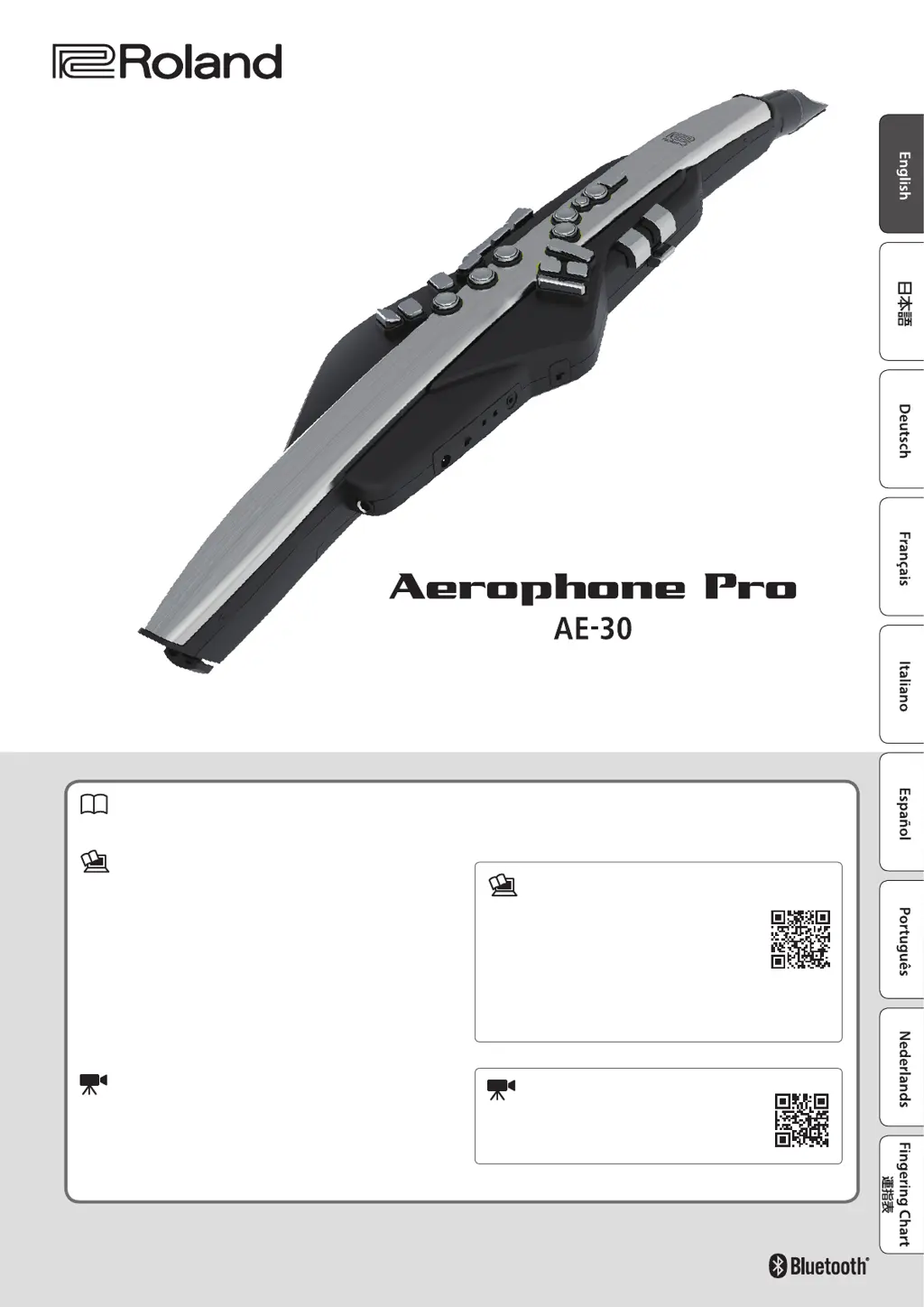
Roland Aerophone Pro AE-30 - User Manual

Roland Aerophone Pro AE-30
31 pages
Print Icon
To Next Page IconTo Next Page
Loading...
© 2020 Roland Corporation
Before using this unit, carefully read “USING THE UNIT SAFELY” and “IMPORTANT NOTES (the leaet “USING THE UNIT SAFELY” and the Owners Manual
(p. 2)). After reading, keep the document(s) where it will be available for immediate reference.
Owners Manual (this document)
This explains basic use of the Aerophone Pro.
PDF Manuals (download from the web)
5 Scene List
This is detailed information for the Aerophone Pro sound list.
5 Aerophone Pro Parameter Guide
This explains the parameters that can be edited from the unit itself.
5 MIDI Implementation
This is detailed information about MIDI messages that you can use
when connecting the this unit with MIDI devices.
Video Manual
You can view a quick start video.
Owners Manual
To obtain the PDF manuals
1. Enter the following URL in your computer.
https://www.roland.com/manuals/
2. Choose Aerophone Pro as the product name.
To access the “Video Manual”
http://roland.cm/ae-30_qs

Questions and Answers

  • T
    Todd ScottJul 25, 2025
    How to troubleshoot no sound or insufficient volume on Roland Musical Instrument Aerophone Pro?
    • J
      Joseph HansenJul 25, 2025
      If you're experiencing no sound or insufficient volume with your Roland Musical Instrument Aerophone Pro, start by checking the following: * Ensure batteries are correctly oriented. * Verify that the Aerophone Pro is properly connected to the amplified speaker using the OUTPUT jack, or headphones using the PHONES jack. * Try a different cable to rule out a broken audio cable. * If using an amplified speaker, check if sound outputs when headphones are connected. * Adjust the volume levels on the Aerophone Pro, the connected amplified speaker, and any connected smartphone to appropriate levels.
  • G
    Gary SnyderJul 29, 2025
    How to get sound from an external MIDI device on Roland Musical Instrument?
    • K
      kathryn54Jul 29, 2025
      To get sound from an external MIDI device connected to your Roland Musical Instrument Aerophone Pro, ensure that the MIDI channels of both the Aerophone Pro and the external MIDI device are set to the same setting.
  • B
    benjamin41Aug 2, 2025
    What to do if Roland Musical Instrument Aerophone Pro can’t connect to Bluetooth audio?
    • D
      Denise MurrayAug 3, 2025
      If your Roland Musical Instrument Aerophone Pro is not connecting to Bluetooth audio, and your smartphone's Bluetooth device list shows “AE-30 AUDIO”, try these steps: In your smartphone’s settings, temporarily remove the registration of the “AE-30 AUDIO” Bluetooth device, turn the Bluetooth function off and then on again, and execute pairing once again. If “AE-30 AUDIO” is not shown, turn the Bluetooth function off and then on again in your smartphone’s settings, and then initiate pairing from the Aerophone Pro to pair it once again.
  • M
    melanie45Aug 7, 2025
    Why is “AE-30” not shown on my smartphone for Roland Musical Instrument?
    • R
      Ryan GutierrezAug 7, 2025
      If your Roland Musical Instrument Aerophone Pro does not show “AE-30” on your smartphone, check if the unit’s Bluetooth function is turned off. Turn the Bluetooth function on by going to [MENU]0[-][+] “Bluetooth”0[MENU]0[-][+] “On”. Note that when pairing for Bluetooth audio, the device name “AE-30 AUDIO” will appear on your smartphone.
  • J
    Jacqueline AndersonAug 12, 2025
    What to do if I can’t charge the batteries of my Roland Musical Instrument?
    • M
      Molly OrtizAug 12, 2025
      If you are unable to charge the batteries of your Roland Musical Instrument Aerophone Pro, avoid connecting the AC adapter while batteries are installed. Instead, use a commercially available charger to charge the batteries.
  • A
    Andrea HarrisAug 16, 2025
    What to do if Roland Musical Instrument can’t communicate with a computer?
    • A
      andersonkristinAug 16, 2025
      If your Roland Musical Instrument Aerophone Pro is not communicating with a computer, check that the USB cable is correctly connected.
  • B
    Brandon BoyerAug 20, 2025
    How to connect to Bluetooth MIDI on Roland Musical Instrument?
    • D
      Daniel DavisAug 20, 2025
      For the Bluetooth MIDI function on your Roland Musical Instrument Aerophone Pro, pairing is not done via your smartphone's Bluetooth settings. Instead, use the settings within the “Aerophone Pro Editor” app.

Roland Aerophone Pro AE-30 Specifications

General IconGeneral
FinishingOpaque
Product colorBlack, White
Construction type-
Carrying caseYes
Quantity per set1
Weight and Dimensions IconWeight and Dimensions
Depth84 mm
Width133 mm
Height687 mm
Weight1140 g

Related product manuals