EasyManua.ls Logo

Roland DP603 - User Manual

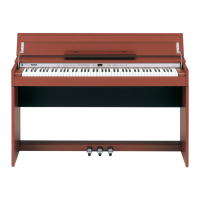
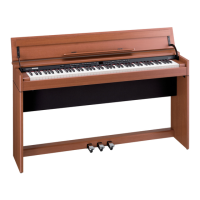
Roland DP603
34 pages
Print Icon
To Next Page IconTo Next Page
Loading...
Owners Manual
Bedienungsanleitung
Mode d’emploi
Manuale dell'utente
Manual del usuario
Manual do proprietário
Gebruikershandleiding

Table of Contents

Questions and Answers

  • J
    James NortonAug 18, 2025
    Why are sounds heard twice when playing my Roland Musical Instrument?
    • T
      Timothy GarnerAug 18, 2025
      If you hear doubled sounds when playing, here are a few things to check: * If the unit is in Dual Play, press the [Dual] button to turn it off. * If the unit is connected to an external sequencer, turn off your DAW’s soft thru function. * If Local Control is turned “On,” set Local Control to “Off.”
  • N
    nbarnesAug 20, 2025
    Why does the selected sound change when I play back a song on my Roland DP603?
    • J
      Jose WellsAug 20, 2025
      If the selected sound changes during song playback, the SMF Play Mode may be set to “Internal.” Change the SMF Play Mode to “External.”
  • D
    djosephAug 23, 2025
    What to do if no sound comes through the speakers of my Roland DP603 Musical Instrument?
    • M
      mauricehobbsAug 23, 2025
      If you are not getting any sound through the speakers, check the following: * Ensure your amp, speakers, and headphones are connected correctly. * Make sure the volume is not turned down. * Verify that headphones or an adapter plug are not inserted in the Phones jacks, as this will prevent sound from the speakers. * Confirm that Local Control is set to “On.” * If Twin Piano mode is set to “Individual” with headphones connected, notes played in one keyboard zone will only be heard through the corresponding headphone jack.
  • P
    Paula CastroAug 26, 2025
    Why does my Roland Musical Instrument power off on its own?
    • S
      Shannon RichardsonAug 26, 2025
      If your instrument is turning off automatically, the Auto Off setting may be enabled. To prevent this, set the Auto Off setting to “Off.”
  • J
    jillsmithAug 28, 2025
    What to do if I can’t perform operations on my Roland DP603 Musical Instrument?
    • K
      Krista CarneyAug 28, 2025
      If you are unable to perform operations, check if Panel Lock is activated and disengage it.
  • N
    njohnsonAug 30, 2025
    What to do if low notes sound wrong or buzzy on my Roland Musical Instrument?
    • M
      Michael CampbellAug 30, 2025
      If the low notes sound wrong or buzzy, consider these solutions: * Lower the volume if it is set to maximum. * If you only hear the buzz through the speakers and not headphones, objects near the unit may be resonating. To minimize this: * Position the speakers 10–15 cm (4–6 inches) away from walls or other surfaces. * Keep the volume down. * Move away from the objects that are resonating. * If you hear the buzz through headphones as well, there may be a malfunction. Please contact your dealer or a Roland customer service center.
  • S
    Scott SteeleSep 2, 2025
    How to stop the high-pitched ringing heard from my Roland DP603 Musical Instrument?
    • G
      glenn42Sep 2, 2025
      To reduce the metallic ringing sound, adjust the following settings: 55 Duplex Scale (p. 15), 55 Full Scale String Res. (p. 15), 55 Ambience (p. 8). Also check if the speaker cable is connected correctly.
  • O
    Omar ParksSep 4, 2025
    Why does the piano’s tonal character change when I record on my Roland DP603?
    • E
      Erin TaylorSep 5, 2025
      If the piano’s tonal character changes during recording, it could be due to the following reasons: * You might be recording with a tone created in Piano Designer, and some of those settings may not be reproduced during playback. * You might be playing back the audio-recorded sound. In this case, record as SMF.
  • L
    Lori MichaelSep 7, 2025
    What to do if only one instrument in a song doesn't play on my Roland DP603?
    • R
      Ronnie RobinsonSep 7, 2025
      If only one instrument's sound is missing during song playback, check if the part button is unlit. If so, press the part button so the indicator is illuminated.
  • L
    Laura ThomasSep 9, 2025
    Why is there a buzz heard from external devices connected to my Roland DP603 Musical Instrument?
    • S
      salazarjosephSep 9, 2025
      If you hear a “buzz” from external devices, ensure that all devices are connected to the same AC power outlet.

Summary

Before You Play

Turning the Power On;Off

Explains how to turn the digital piano's power on and off, including the auto-off function.

Operation Guide

Piano Performance Features

Covers Twin Piano, Piano Designer, Split Play, Dual Play, and saving performance settings (Registration).

Advanced Operation

Performance Recording and SMF Management

Guides on recording performances as SMF, saving, and overdubbing recorded songs.

Audio Recording and Song File Management

Explains recording audio, converting SMF to audio, and renaming songs.

Personalizing Piano Sound (Piano Designer)

Details how to use the Piano Designer to customize piano sound parameters like strings and hammers.

Various Settings (Function Mode)

Using the Bluetooth Functionality

Troubleshooting

Using the Unit Safely

Safety Precautions and Handling

Covers safe operation, power, voltage, handling, moving, child safety, notes, cleaning, and external memory precautions.

Roland DP603 Specifications

General IconGeneral
Other Tones307 tones
Amplifier30 W x 2
Keyboard88 keys (PHA-50: Progressive Hammer Action with Escapement)
Touch Sensitivity100 types, fixed touch
Sound EngineSuperNATURAL Piano
Polyphony384 voices
EffectsAmbience, Brilliance
Speakers12 cm x 2
BluetoothBluetooth Ver 4.0
ConnectorsDC In jack, USB Computer port, USB Memory port, Phones jacks (Stereo), Input jack, Output jacks
DisplayGraphic LCD (128 x 64 dots)
Included AccessoriesOwner's Manual, Power Cord, Headphone Hook, Music Rest

Related product manuals