97
Creating a Performance
Creating a Performance
5.
When you have finished inputting the name, press [8 (Write)].
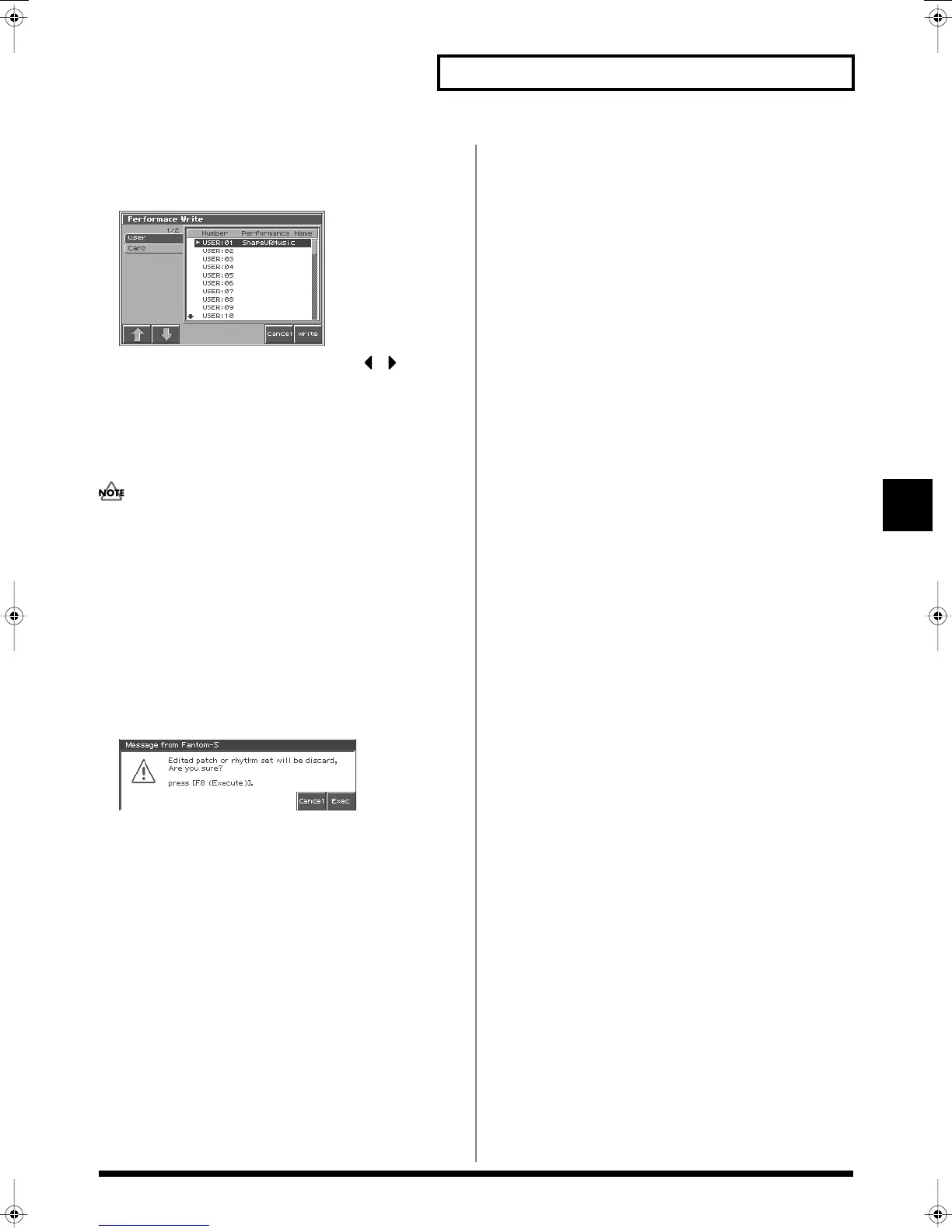
A screen will appear, allowing you to select the write-destination
patch.
fig.06-07_50
6.
Turn the VALUE dial or use [INC][DEC] and to select
the write destination and patch number.
The write destination can be either the Fantom-S's internal user
area (User), or a memory card (Card).
7.
Press [8 (Write)].
A message will ask you for confirmation.
Never switch off the Fantom-S while data is being saved.
8.
Press [8 (Exec)] to execute the save operation.
* To cancel the operation, press [7 (Cancel)].
When Changing the Settings for the
Patch or Rhythm Set Assigned to a
Part in a Performance
After changing the settings for the patch or rhythm set assigned to a
part in a Performance, if you then try to save the Performance
without first saving the changes in the settings, the following
message appears.
fig.06-08_50
In such cases, first save the patches and rhythm sets, and then save
the performance.
Reference_e.book 97 ページ 2003年7月14日 月曜日 午後3時25分


 To Next Page