147
Chapter 8 Various Settings
Chapter 8
■
Assigning Functions to Pedals
and Performance Pads (Pedal
Setting/User Functions)
You can assign a variety of functions to the left and center
pedals and to the performance pads.
You can call up the assigned functions just by pressing the
corresponding pedal or pad.
❍
Assigning Functions to Pedals
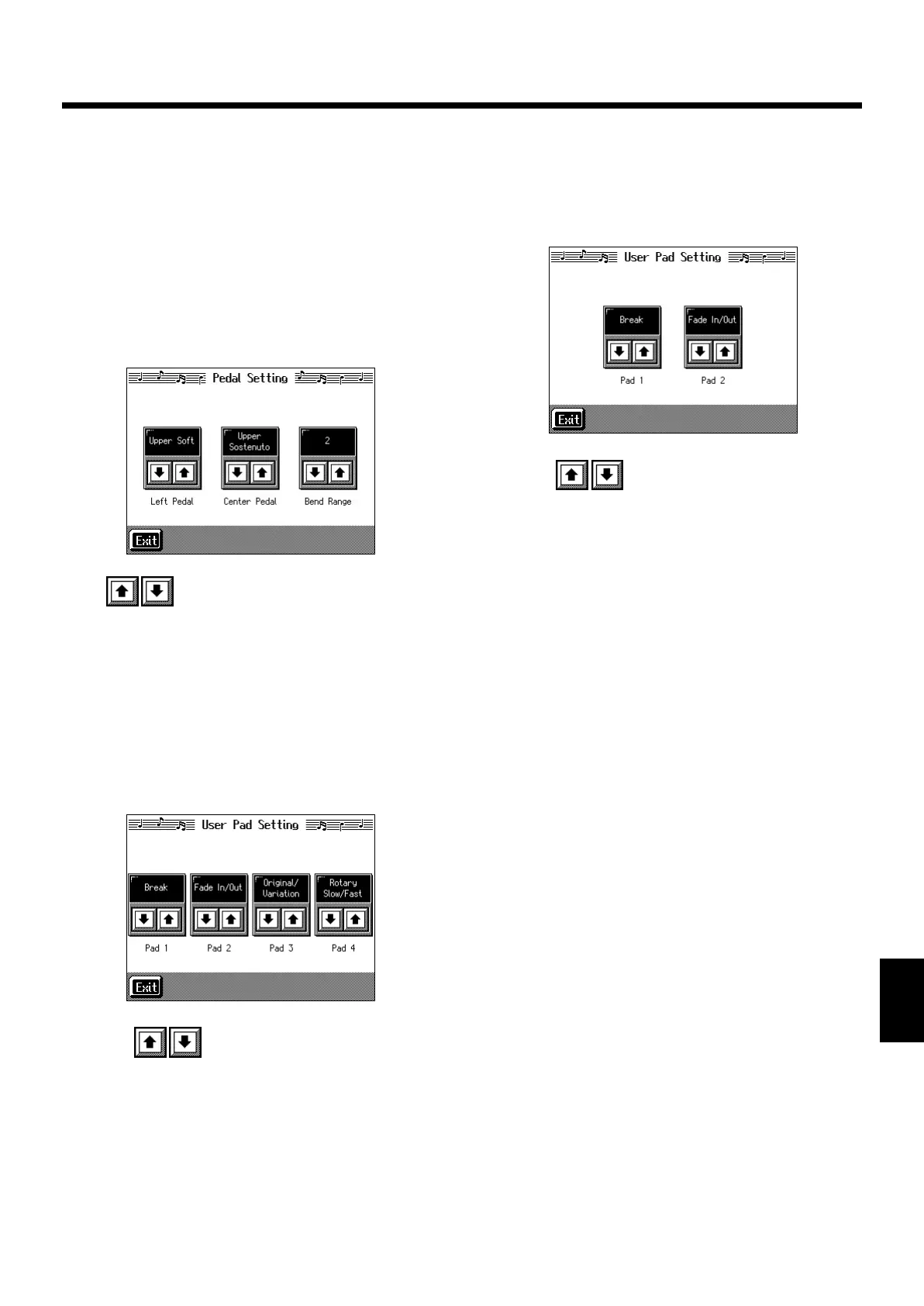
At Step 3 “Procedure” (p. 145), touch <Pedal Setting>.
fig.d-pedalset.eps_50
Touch to assign functions to each of the pedals.
* Pressing the One Touch Program [Piano] button restores the
piano performance functions to the pedals (p. 20).
❍
Assigning Functions to Performance Pads
<KR-7>
1.
Press the [User Function] button and watch the
indicator light up.
A screen like the one shown below appears.
fig.d-usrfunc.eps_50
2.
Touch to assign functions to each of the
Performance Pads.
→
If you set the pedal as a dedicated switch for selecting User
Programs, the function assigned to the pedal cannot be used.
Refer to “Using the Pedal to Switch User Programs” (p. 116).
<KR-5>
1.
Press the [Style Orchestrator/User Function]
button and the indicator light goes out.
A screen like the one shown below appears.
fig.d-usrfunc.eps_50
2.
Touch to assign functions to each of the
Performance Pads.
→
If you set the pedal as a dedicated switch for selecting User
Programs, the function assigned to the pedal cannot be used.
Refer to “Using the Pedal to Switch User Programs” (p. 116).
KR-7_5_e.book 147 ページ 2004年7月7日 水曜日 午前10時3分


 To Next Page