73
Chapter 3 Song Playback and Practice Functions
Chapter 3
■
Removing Songs from Favorites
This deletes registered songs for Favorites.
1.
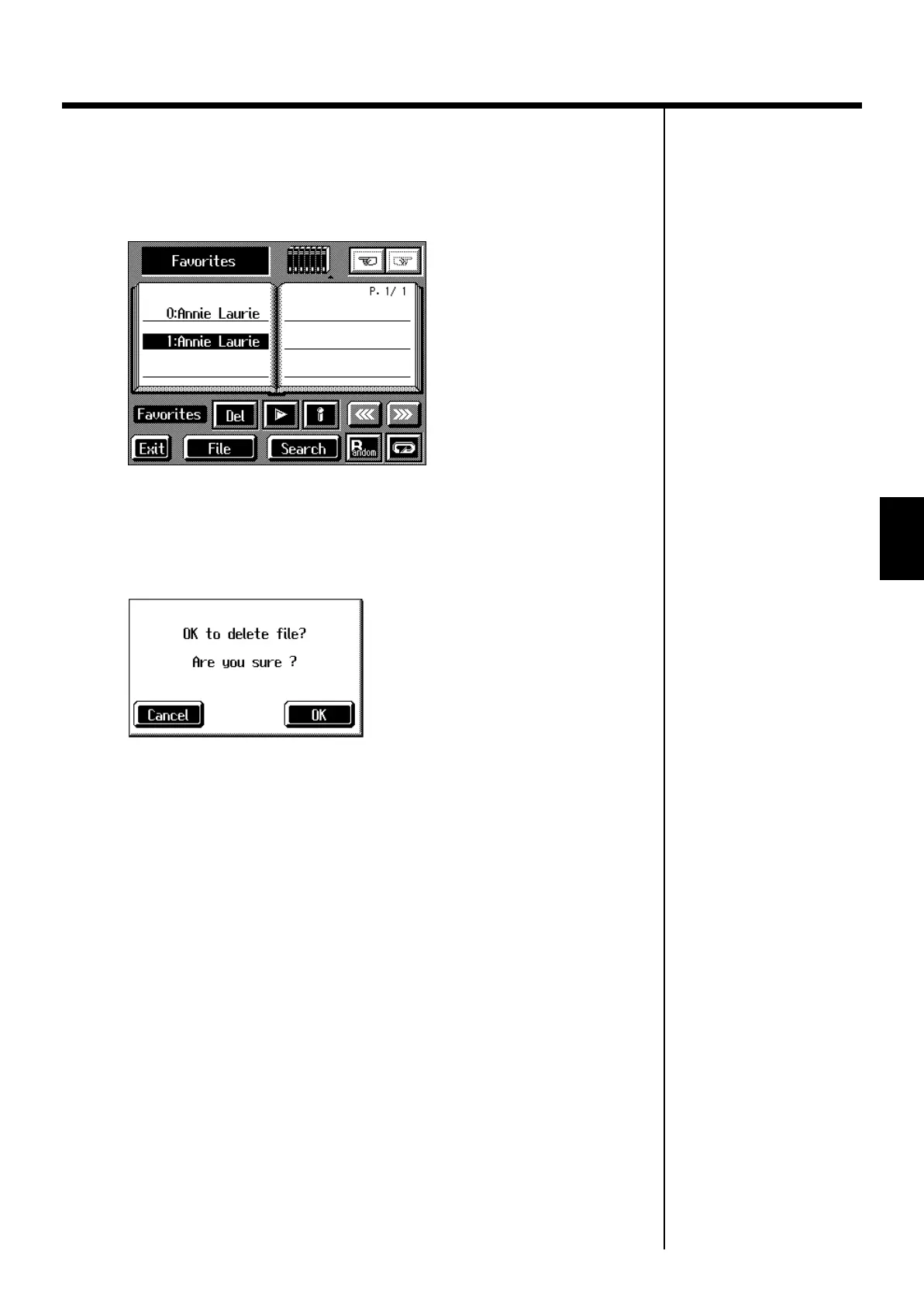
In the Song Selection screen, select Favorites for the genre.
fig.d-song-fvrt.eps_60
2.
Touch the name of the song to be deleted.
3.
Touch <Del>.
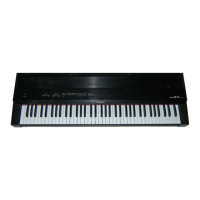
A screen like the one shown below appears.
fig.m-fvrtdel.eps_60
4.
Touch <OK>.
The song is deleted.
KR-7_5_e.book 73 ページ 2004年7月7日 水曜日 午前10時3分



 To Next Page