83
Chapter 3 Song Playback and Practice Functions
Chapter 3
❍
<KR-5>
Assigning functions to the Performance Pads
1.
Press the [Style Orchestrator/User Function] button and the indicator
light goes out.
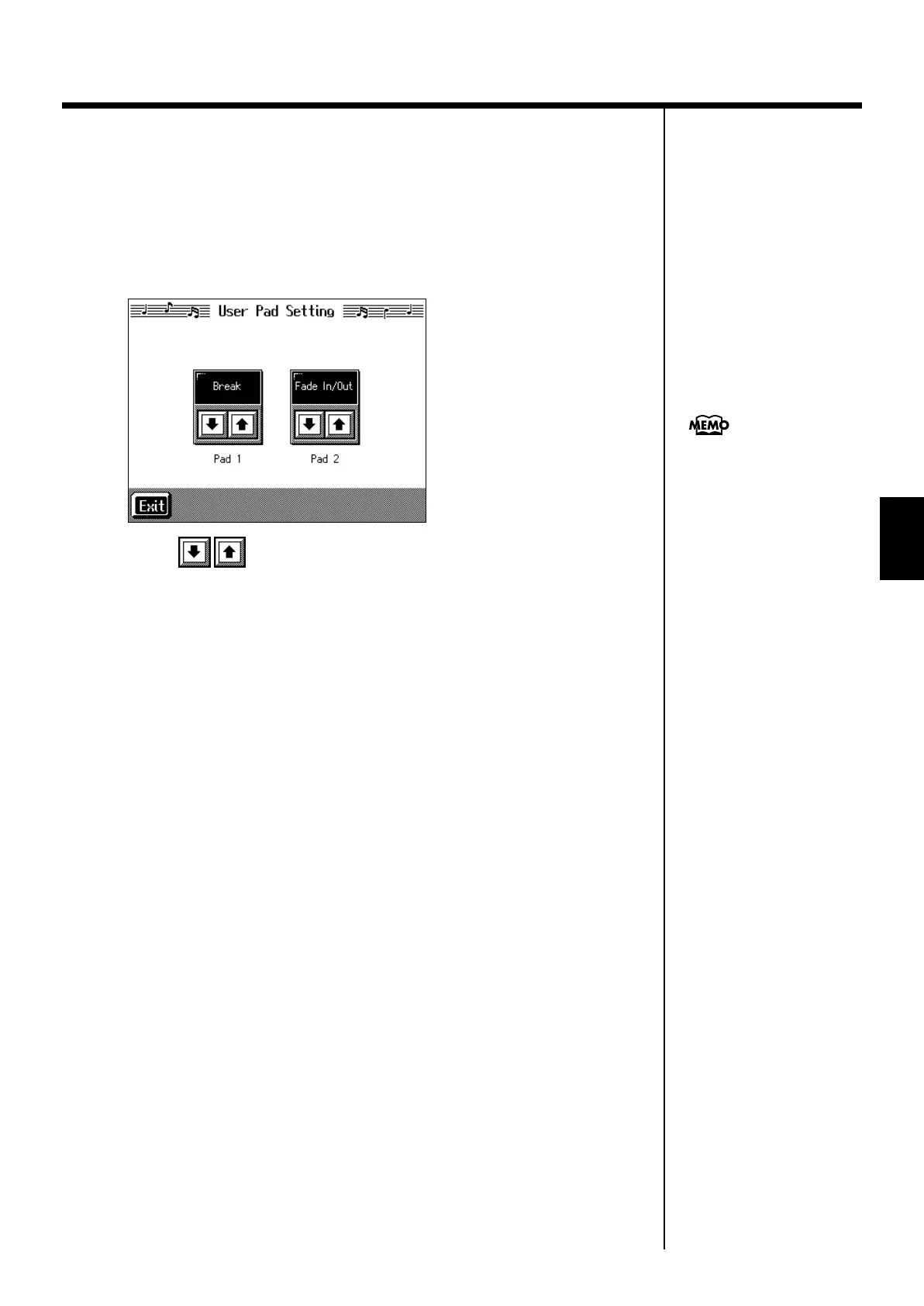
A screen like the one shown below appears.
fig.d-usrfunc_5.eps_60
2.
Touch for Performance Pad [1] or [2] to assign “Tap Tempo.”
3.
Touch <Exit>; the tempo is indicated in the upper left of the screen.
Specifying the Tempo
4.
Press the Pad to which “Tap Tempo” is assigned at least twice.
The tempo is set to the rhythm you used when tapping the Pad.
You can also assign the Tap
Tempo function to the pedal,
and use the pedal to specify
the tempo. For details, refer to
“Assigning Functions to
Pedals and Performance Pads
(Pedal Setting/User
Functions)” (p. 147).
KR-7_5_e.book 83 ページ 2004年7月7日 水曜日 午前10時3分


 To Next Page