EasyManua.ls Logo

Roland RD-64 - User Manual

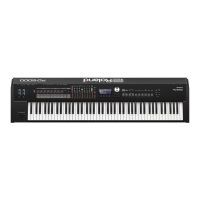
Roland RD-64
19 pages
Print Icon
To Next Page IconTo Next Page
Loading...
Digital Piano
Owners Manual

Questions and Answers

  • W
    wvaughanAug 18, 2025
    What to do if my Roland RD-64 Musical Instrument has no sound?
    • B
      brian63Aug 18, 2025
      Check if the power for connected amps and speakers is turned on and that the volume isn't turned all the way down. Also, verify that the [MASTER VOLUME] knob isn't turned all the way down. Ensure speakers are correctly connected; use amplified speakers or headphones. If sound is audible through headphones but not speakers, there may be a short in the audio cable or an amp/mixer issue, so double-check those. It's also possible the volume was lowered by a pedal or the D-BEAM controller; try depressing the pedal or moving your hand away from the D-BEAM controller. Finally, confirm the RD-64 wasn't started in Controller mode (holding down the [A. PIANO] button during startup), as it won't produce sound in that mode.
  • J
    Jessica WhiteAug 20, 2025
    What to do if the volume level of the instrument connected to INPUT jack on Roland Musical Instrument is too low?
    • J
      Justin TuckerAug 20, 2025
      If the volume level of an instrument connected to the INPUT jack on your Roland Musical Instrument is too low, first adjust the volume of the connected device. If the problem persists, the connection cable may contain a resistor. Try using a connection cable that does not contain a resistor.
  • A
    Andrew CampbellAug 23, 2025
    Why are the tones altered on my Roland RD-64 Musical Instrument?
    • K
      Kimberly JenkinsAug 23, 2025
      If the tones on your Roland Musical Instrument are altered, check if a pedal or the D-BEAM controller is affecting the pitch; depress the pedal or move your hand away from the D-BEAM controller. For the best listening quality, especially with certain tones and registers, connecting in stereo is recommended, as a mono connection can sometimes alter the tone quality.
  • A
    Andrew KentAug 25, 2025
    What to do if the pedal does not work correctly on my Roland RD-64?
    • W
      wburgessAug 26, 2025
      If the pedal on your Roland Musical Instrument isn't working correctly or seems stuck, ensure the cord is firmly plugged into the pedal jack. If you're using a pedal from another manufacturer, try using the included damper pedal or an optional RPU-3, DP, EV Series, or similar pedal.
  • A
    Austin LynnAug 28, 2025
    Why is the pitch odd on my Roland Musical Instrument?
    • C
      Carolyn McphersonAug 28, 2025
      If you are experiencing odd pitch issues with your Roland Musical Instrument, it may be due to the selected Tone changing pitches in certain registers. Also, check if you have set Octave/Transpose. Finally, see if a pedal or the D-BEAM controller is affecting the pitch; if so, depress the pedal or move your hand away from the D-BEAM controller.
  • M
    marknewmanAug 30, 2025
    What to do if low notes sound wrong or are buzzy on my Roland Musical Instrument?
    • N
      Nathaniel CastilloAug 30, 2025
      If the low notes on your Roland Musical Instrument sound wrong or buzzy, and the sounds seem distorted, try turning down the volume or lowering the master gain setting.
  • W
    wilsonnicholasSep 2, 2025
    Why my Roland RD-64 pedal does not work correctly?
    • D
      devonhigginsSep 2, 2025
      If the pedal is not working correctly with your Roland Musical Instrument, first ensure the pedal cord is firmly plugged into the pedal jack. If that doesn't solve the issue, check if you're using a pedal from another manufacturer. If so, use the included damper pedal or an optional RPU-3, DP, EV Series, or similar pedal.
  • E
    Edward HullSep 4, 2025
    What to do if the volume level of the instrument connected to INPUT jack is too low on my Roland Musical Instrument?
    • M
      Matthew GibsonSep 4, 2025
      If the volume level of an instrument connected to the INPUT jack of your Roland Musical Instrument is too low, first ensure that the volume of the connected device is adequately raised. Also, check the connection cable; using a cable that contains a resistor could lower the volume. Use a connection cable without a resistor.
  • J
    John DunlapSep 6, 2025
    What to do if sound is cut off on my Roland Musical Instrument?
    • R
      Richard HeathSep 6, 2025
      If the sound is being cut off on your Roland Musical Instrument, this can happen when you attempt to play more than the maximum of 128 voices simultaneously. In this case, some of the sounds currently being played may be cut out.
  • A
    Alexander FisherSep 9, 2025
    Why duplicate notes sound on my Roland RD-64?
    • N
      Nathan WangSep 9, 2025
      Duplicate notes may sound on your Roland Musical Instrument if it is connected to a computer and the DAW software’s THRU function is turned on. Turn off the DAW software’s THRU function to resolve this.

Summary

The RD-64 s Two Modes

Using the RD-64 as a Piano

Explains using the RD-64 as a piano, highlighting SuperNATURAL sounds and ivory-feel keyboard.

Using the RD-64 as a MIDI Controller

Explains using the RD-64 as a MIDI controller keyboard with DAW software.

Placing the RD-64 on a Stand

Panel Descriptions

Control Panel Components and Functions

Details all key controls including Power, Volume, Tone, Effects, Pitch Bend, D-BEAM, and Octave/Transpose.

Connecting

Audio and Headphone Connections

Details the INPUT, OUTPUT, and PHONES jacks for audio connection and monitoring.

Pedal, MIDI, and USB Ports

Explains connections for pedals, MIDI OUT, and USB computer port.

Power Connection

Details the DC IN jack for power connection and AC adaptor usage.

Changing Settings (FUNCTION Mode)

Restoring Factory Settings

Explains how to reset the unit to its factory default settings.

Adjusting Keyboard Touch Sensitivity

Details how to adjust the keyboard's touch sensitivity (VELO CURVE).

Setting Keyboard Velocity Value

Describes how to specify the keyboard velocity value (KEY VELO).

Tuning and Auto Power Off

Covers master tuning adjustments and configuring the automatic power off feature.

USB Driver Selection

Explains how to select between ADVANCED and GENERIC USB drivers for computer connectivity.

Troubleshooting

Common Issues and Solutions

Provides solutions for common problems like power issues, no sound, pitch oddities, and pedal malfunctions.

USING THE UNIT SAFELY

General Safety Warnings and Precautions

Covers warnings for disassembly, repair, usage locations, stands, and impact.

Power and Cable Safety

Details safety precautions for AC adaptors, power cords, and cable management.

Environmental and Usage Precautions

Provides precautions for ventilation, stand placement, and avoiding liquids.

IMPORTANT NOTES

Power, Placement, and Maintenance

Covers power supply, placement considerations, maintenance, and additional precautions.

About the Ivory Feel Keyboard

Effect List

Main Specifications

Compliance and Regulatory Information

FCC, Canadian, and UK Warnings

Includes FCC, Canadian interference statements, Proposition 65, and UK mains lead code.

Roland RD-64 Specifications

General IconGeneral
Control typeButtons, Rotary
Number of knobs2
MIDI-keyboard number of keys64 keys
MIDI outYes
InterfaceUSB
Power source typeDC
Power consumption (typical)4 W
Product colorBlack
Volume controlRotary
Maximum polyphony (notes)128
Music memory capacity (songs)12
Weight and Dimensions IconWeight and Dimensions
Depth273 mm
Width1114 mm
Height116 mm
Weight12800 g

Related product manuals