EasyManua.ls Logo

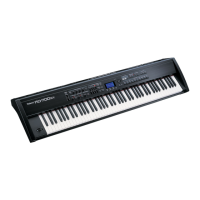
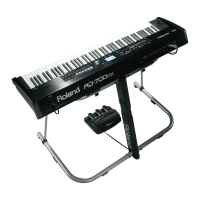
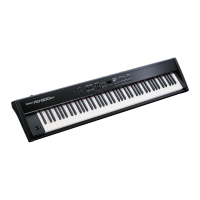
Roland RD-700 - User Manual

Roland RD-700
172 pages
Print Icon
To Next Page IconTo Next Page
Loading...
Thank you, and congratulations on your choice of the Roland Digital Piano RD-700.
.
Copyright © 2001 ROLAND CORPORATION
All rights reserved. No part of this publication may be reproduced in any form
without the written permission of ROLAND CORPORATION.
Before using this unit, carefully read the sections entitled: “IMPORTANT
SAFETY INSTRUCTIONS” (p. 2), “USING THE UNIT SAFELY” (p. 3), and
“IMPORTANT NOTES” (p. 5).
These sections provide important information concerning the proper operation of the
unit. Additionally, in order to feel assured that you have gained a good grasp of every
feature provided by your new unit, Owner’s Manual should be read in its entirety. The
manual should be saved and kept on hand as a convenient reference.
Owner’s Manual
02565478 ’04-5-9N
Owner’s Manual
To resize thickness, move all items on the front cover to left or right
This owner’s manual is printed on recycled paper.


Table of Contents

Other manuals for Roland RD-700

Questions and Answers

  • J
    Jason FullerSep 23, 2025
    Why song data not played back correctly on Roland Musical Instrument?
    • D
      David DuncanSep 23, 2025
      Check if the Receive GM/GM2 System On Switch is set to ON. If playback starts from other than the beginning, add a GM/GM2 System On message at the beginning of GM Score songs. If you are playing back GS Format song data, once the RD-700 receives a GS Reset message, it then is enabled for GS Format.
  • C
    Christopher WarrenAug 25, 2025
    What to do if my Roland RD-700 has no sound for a specific part?
    • K
      Kelly SchultzAug 25, 2025
      Check if the Part’s volume level is turned down using the PART LEVEL sliders. Also, ensure that the Part’s MIDI Receive channel matches the MIDI Transmit channel for the connected MIDI device.
  • P
    Patricia SingletonAug 25, 2025
    How to troubleshoot no sound from connected MIDI device on Roland RD-700?
    • G
      Gabrielle RiveraAug 26, 2025
      Make sure the external device is enabled to transmit MIDI messages by setting [MIDI TX] and PART SWITCH to ON. MIDI messages won't transmit if PART SWITCH is OFF. Also, ensure the RD-700’s keyboard controller section MIDI Transmit channel matches the connected MIDI device’s MIDI Receive channel.
  • S
    sheltonericAug 27, 2025
    Why is there no sound in a specific range on my Roland RD-700?
    • M
      martinezsaraAug 27, 2025
      The key range might have been set, limiting the playable notes. Check the settings for the LWR and UPR Parts in the MIDI TX screen. Also, some Tones, like Rhythm Sets, bass Tones, or Timpani, might not sound if they fall outside their recommended range.
  • L
    Lydia FrazierAug 27, 2025
    What to do if rhythm is not sounding on Roland Musical Instrument?
    • S
      sbautistaAug 27, 2025
      First, check if the System Clock Source setting in Edit mode is set to MIDI, and if you have an external MIDI device connected. You can't set the tempo with the RD-700 when Clock Source is set to MIDI, so if no external MIDI device is connected, the Rhythm won't sound. Also, make sure the MIDI TX screen is not active. Finally, ensure that the Rhythm Pattern’s Pattern setting in Edit mode is turned ON.
  • A
    Andres DavisSep 14, 2025
    How to resolve exclusive messages cannot be received on Roland Musical Instrument?
    • A
      Angela BrownSep 14, 2025
      Check if the Device ID number of the transmitting device matches the RD-700’s Device ID number. Also, ensure the RD-700 is not set to GM mode by pressing ONE TOUCH [PIANO] or [SETUP] to exit GM mode.
  • C
    cwilliamsSep 12, 2025
    Why is pitch odd on Roland Musical Instrument?
    • R
      Robert ReedSep 12, 2025
      Depending on the Tone selected, pitches played in certain registers will be changed and played at other pitches. Also, check if Coarse Tune, Fine Tune, or Stretch Tune is set for any specific Part. Ensure the RD-700 hasn't gone out of tune by checking the System Master Tune settings in Edit mode. Finally, verify that the pitch hasn't been changed by pedal operations or Pitch Bend messages from an external MIDI device.
  • J
    Jacob WhiteSep 13, 2025
    Why sound keeps playing when key is pressed on Roland RD-700 Musical Instrument?
    • C
      Christopher SmithSep 13, 2025
      The hold pedal polarity might be reversed. Check the System Pedal Polarity settings in Edit mode.
  • B
    Benjamin BenderSep 4, 2025
    How to fix Roland RD-700 when power is not coming on?
    • A
      Angela HarveySep 5, 2025
      Ensure the RD-700’s AC adapter is correctly plugged into both the power source and the RD-700 itself.
  • J
    James ChungSep 2, 2025
    Why sounds come from left or right each time key is pressed (panned) on Roland RD-700?
    • G
      Gary EvansSep 2, 2025
      In some Tones, the settings are such that sounds randomly play from the left or right side (are panned) each time the keys are pressed. These settings cannot be changed.

Summary

Using the Unit Safely

General Safety Instructions

Instructions for safe operation, preventing fire, electric shock, and injury.

Important Notes

Panel Descriptions

Front Panel Controls

Detailed explanation of the controls and functions located on the front panel of the RD-700.

Rear Panel Connectors

Details the rear panel connectors including GND, Power, AC Inlet, MIDI, Pedals, Output, and Phones.

Getting Ready

Installing and Checking Wave Expansion Boards

Instructions for installing SRX Series boards and verifying their recognition by the unit.

Installation Cautions

Important warnings for handling circuit boards, especially regarding static electricity.

Connecting External Equipment

Connecting the RD-700 and Pedals

Guide to connecting the RD-700 to audio equipment and pedal switches or expression pedals.

Powering the Unit On and Off

Turning the Power On Safely

Steps for safely powering on the RD-700 and connected devices, including volume adjustments.

Turning the Power Off

Procedure for safely powering down the RD-700 and connected external devices.

Restoring Factory Settings

Performing a Factory Reset

Steps to return the RD-700's settings to their original factory defaults for first-time use.

Performing with the Keyboard

Piano Performances (One Touch [Piano])

Instructions on using the ONE TOUCH [PIANO] button to quickly access optimal piano performance settings.

Using the RD-700 as a Master Keyboard

Connecting External MIDI Devices

Guide on connecting the RD-700 to external MIDI sound generators for expanded control.

MIDI Send Channel Configuration

Matching RD-700 transmit channels with receiving devices for proper MIDI communication.

Detailed Settings for Transmitted Parts

Piano Edit

Making Detailed Piano Tone Settings

Accessing and adjusting detailed parameters for piano tones, including sound width and nuance.

Detailed Settings for Each Function ([EDIT])

Overview of Edit Mode Parameters

Overview of all settable parameters within Edit mode, categorized by function.

Making System Settings

Adjusting system-wide functions like Master Tune, Volume, EQ Control, and LCD Contrast.

Pedal, Control Knob, and EQ Settings

Configuring pedal functions, control knob assignments, and equalizer frequency settings.

Tone Editing Parameters

Detailed adjustment of individual tone parameters like pitch, effects, and articulation.

Other Functions (Utility)

Includes functions for data transfer (Bulk Dump) and restoring factory settings.

Troubleshooting

Power, Sound, and MIDI Device Issues

Solutions for problems related to power, no sound, specific part sound, and connected MIDI devices.

Error and Other Messages

Roland RD-700 Specifications

General IconGeneral
Polyphony128 voices
EffectsReverb, Chorus, EQ
ConnectivityHeadphones
Power SupplyAC 117 V
Keyboard88 keys (PHA II Ivory Feel Keyboard)

Related product manuals