EasyManua.ls Logo

Roland SA-1000 - User Manual

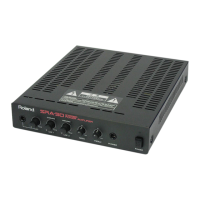
Roland SA-1000
24 pages
Print Icon
To Next Page IconTo Next Page
Loading...
IMPORTANT SAFETY INSTRUCTIONS............................ 2
USING THE UNIT SAFELY ................................................ 3
IMPORTANT NOTES.......................................................... 5
Main Features .................................................................... 7
Names of Things and What They Do ............................... 8
Control Panel............................................................................................. 8
Jack Panel ................................................................................................. 10
Making the Connections................................................. 12
Switching the Power On and Off ......................................................... 13
About Setting the Volume..................................................................... 14
About Stereo Link................................................................................... 14
About the Anti-Feedback Function................................ 15
Features of SA-1000 ANTI-FEEDBACK .............................................. 15
How to Use Anti-Feedback ................................................................... 16
About the Use of Stacks ................................................. 18
About the Protection Circuit........................................... 18
Block Diagram ................................................................. 19
Main Specifications......................................................... 20
Owner’s Manual
Copyright © 2007 ROLAND CORPORATION
All rights reserved. No part of this publication may be reproduced in any form without the written
permission of ROLAND CORPORATION.
Thank you, and congratulations on your choice of the Roland
SA-1000
Stage Amplifier.
Additionally, in order to feel assured that you have gained a good grasp of every
feature provided by your new unit, Owner’s manual should be read in its entirety.
The manual should be saved and kept on hand as a convenient reference.
Contents
Before using this unit, carefully read the sections entitled: “IMPORTANT
SAFETY INSTRUCTIONS” (p. 2), “USING THE UNIT SAFELY” (p. 3), and
“IMPORTANT NOTES” (p. 5). These sections provide important information
concerning the proper operation of the unit.
SA-1000_r_e.book 1 ページ 2007年10月1日 月曜日 午後1時52分

Other manuals for Roland SA-1000

Question and Answer IconNeed help?

Do you have a question about the Roland SA-1000 and is the answer not in the manual?

Summary

Important Safety Instructions

General Safety Precautions

Essential safety guidelines for operating electrical products, including warnings and cautions.

UK Mains Wiring Safety

Guidance on correctly connecting the mains lead wires according to UK electrical standards.

Using the Unit Safely

Understanding Safety Labels and Symbols

Explanation of WARNING/CAUTION labels and standard safety symbols used in the manual.

General Safe Operation Rules

Key rules for safe operation, including handling the power cord and avoiding extreme environments.

Important Notes

Power Supply Considerations

Guidelines for connecting the unit to the power supply and preventing noise or malfunctions.

Optimal Unit Placement

Recommendations for positioning the unit to avoid interference, heat, and condensation.

Maintenance and Cleaning

Instructions for cleaning the unit using a dry or slightly damp cloth, avoiding solvents.

Additional Precautions for Use

Advice on handling controls, connecting cables, heat radiation, and transportation.

Main Features

Names of Things and What They Do

Control Panel Overview

Detailed explanation of the SA-1000's control panel buttons, knobs, and indicators.

Control Panel Details

Further descriptions of input volume knobs, master controls, equalizer, and indicators on the control panel.

Jack Panel Descriptions

Explanation of the various input and output jacks on the SA-1000, including MIC, KEYBOARD, AUDIO, and LINE OUT.

Stereo Link and Line Out Connections

Details on connecting multiple units via Stereo Link and using LINE OUT for balanced audio output.

Making the Connections

Switching Power On and Off

Step-by-step procedure for safely turning the SA-1000 and connected devices on and off.

Setting the Volume Levels

Procedure for adjusting input and master volume levels for optimal sound output and tone.

Stereo Link Setup and Operation

Instructions for connecting two SA-1000 units for stereo sound and adjusting individual volume and tone settings.

About the Anti-Feedback Function

Understanding Acoustic Feedback

Explanation of acoustic feedback and general methods to prevent it from occurring.

SA-1000 Anti-Feedback Features

Details on the SA-1000's automatic feedback reduction features: Dynamic and Safety Margin functions.

Anti-Feedback Controls and Placement

How to use the ON/OFF and AUTO buttons, and advice on microphone and speaker placement.

Using the Anti-Feedback Function

Step-by-step guide for setting up and calibrating the anti-feedback system for mic inputs.

Troubleshooting Anti-Feedback

Guidance on issues during automatic measurement and important notes regarding the anti-feedback function's operation.

About the Use of Stacks

About the Protection Circuit

Block Diagram

Main Specifications

Summary

Important Safety Instructions

General Safety Precautions

Essential safety guidelines for operating electrical products, including warnings and cautions.

UK Mains Wiring Safety

Guidance on correctly connecting the mains lead wires according to UK electrical standards.

Using the Unit Safely

Understanding Safety Labels and Symbols

Explanation of WARNING/CAUTION labels and standard safety symbols used in the manual.

General Safe Operation Rules

Key rules for safe operation, including handling the power cord and avoiding extreme environments.

Important Notes

Power Supply Considerations

Guidelines for connecting the unit to the power supply and preventing noise or malfunctions.

Optimal Unit Placement

Recommendations for positioning the unit to avoid interference, heat, and condensation.

Maintenance and Cleaning

Instructions for cleaning the unit using a dry or slightly damp cloth, avoiding solvents.

Additional Precautions for Use

Advice on handling controls, connecting cables, heat radiation, and transportation.

Main Features

Names of Things and What They Do

Control Panel Overview

Detailed explanation of the SA-1000's control panel buttons, knobs, and indicators.

Control Panel Details

Further descriptions of input volume knobs, master controls, equalizer, and indicators on the control panel.

Jack Panel Descriptions

Explanation of the various input and output jacks on the SA-1000, including MIC, KEYBOARD, AUDIO, and LINE OUT.

Stereo Link and Line Out Connections

Details on connecting multiple units via Stereo Link and using LINE OUT for balanced audio output.

Making the Connections

Switching Power On and Off

Step-by-step procedure for safely turning the SA-1000 and connected devices on and off.

Setting the Volume Levels

Procedure for adjusting input and master volume levels for optimal sound output and tone.

Stereo Link Setup and Operation

Instructions for connecting two SA-1000 units for stereo sound and adjusting individual volume and tone settings.

About the Anti-Feedback Function

Understanding Acoustic Feedback

Explanation of acoustic feedback and general methods to prevent it from occurring.

SA-1000 Anti-Feedback Features

Details on the SA-1000's automatic feedback reduction features: Dynamic and Safety Margin functions.

Anti-Feedback Controls and Placement

How to use the ON/OFF and AUTO buttons, and advice on microphone and speaker placement.

Using the Anti-Feedback Function

Step-by-step guide for setting up and calibrating the anti-feedback system for mic inputs.

Troubleshooting Anti-Feedback

Guidance on issues during automatic measurement and important notes regarding the anti-feedback function's operation.

About the Use of Stacks

About the Protection Circuit

Block Diagram

Main Specifications

Roland SA-1000 Specifications

General IconGeneral
Power Output100W
Channels2
Speakers12"
Inputs1/4"
Outputs1 x 1/4" Line Out
EffectsReverb
EQ3-Band EQ

Related product manuals