EasyManua.ls Logo

Roland V-160HD - User Manual

Roland V-160HD
25 pages
Print Icon
To Next Page IconTo Next Page
Loading...
Skip to content
Manuals+
User Manuals Simplified.
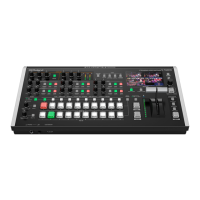
Roland V-160HD Streaming Video Switcher User Guide
Home » Roland » Roland V-160HD Streaming Video Switcher User Guide
Roland V-160HD Streaming Video Switcher User Guide

Other manuals for Roland V-160HD

Question and Answer IconNeed help?

Do you have a question about the Roland V-160HD and is the answer not in the manual?

Summary

Product Panel Descriptions

Top Panel Layout and Controls

Overview of controls and features on the top surface of the unit.

Front Panel Layout and Controls

Overview of controls and features on the front of the unit.

Rear Panel Connectivity Guide

Overview of connections and ports on the rear of the unit.

Core Operational Procedures

Powering the Unit On and Off

Procedures for powering the unit on and off safely.

Navigating the Unit Menu

Navigating and using the unit's menu system for settings.

Advanced Video Operations

Video Source Switching

How to switch between video sources for output.

Split Screen Video Compositing

Combining videos using screen splitting techniques.

Screen Layout Configuration Options

Customizing the visual layout for split screen effects.

Picture-in-Picture (PinP) Setup

Overlaying one video source within another.

Downstream Key (DSK) Setup

Adding graphics or titles over video sources.

Rack Mounting Installation Guide

Attaching Rack-Mounting Angles

Steps for physically attaching mounting hardware.

Rack Mounting Best Practices

Key considerations and warnings for rack installation.

Critical Safety Instructions

Key Product Information

Software and File Downloads

Technical References

Associated Product Manuals

Summary

Product Panel Descriptions

Top Panel Layout and Controls

Overview of controls and features on the top surface of the unit.

Front Panel Layout and Controls

Overview of controls and features on the front of the unit.

Rear Panel Connectivity Guide

Overview of connections and ports on the rear of the unit.

Core Operational Procedures

Powering the Unit On and Off

Procedures for powering the unit on and off safely.

Navigating the Unit Menu

Navigating and using the unit's menu system for settings.

Advanced Video Operations

Video Source Switching

How to switch between video sources for output.

Split Screen Video Compositing

Combining videos using screen splitting techniques.

Screen Layout Configuration Options

Customizing the visual layout for split screen effects.

Picture-in-Picture (PinP) Setup

Overlaying one video source within another.

Downstream Key (DSK) Setup

Adding graphics or titles over video sources.

Rack Mounting Installation Guide

Attaching Rack-Mounting Angles

Steps for physically attaching mounting hardware.

Rack Mounting Best Practices

Key considerations and warnings for rack installation.

Critical Safety Instructions

Key Product Information

Software and File Downloads

Technical References

Associated Product Manuals

Roland V-160HD Specifications

General IconGeneral
HDMI in8
DC-in jackYes
RS-232 ports1
USB port typeUSB Type-C
Audio (L/R) in4
HDMI ports quantity11
Number of HDMI outputs3
Operating temperature (T-T)0 - 40 °C
Power consumption (max)55 W
AC adapter input current2.5 A
Color depth8 bit
Display typeLCD
Output impedance1000 Ω
Maximum refresh rate60 Hz
Supported video modes480i, 480p, 720p, 1080i, 1080p
Audio formats supportedPCM
Supported graphics resolutions640 x 480 (VGA), 800 x 600 (SVGA), 1024 x 768 (XGA), 1280 x 1024 (SXGA), 1280 x 800 (WXGA), 1366 x 768, 1400 x 1050 (SXGA+), 1600 x 1200 (UXGA), 1920 x 1200 (WUXGA)
Weight and Dimensions IconWeight and Dimensions
Depth253 mm
Width480 mm
Height103 mm
Weight3900 g

Related product manuals