EasyManua.ls Logo

Roland VH-13 - User Manual

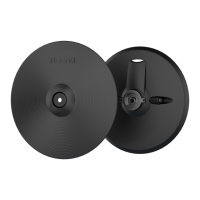
Roland VH-13
13 pages
Print Icon
To Next Page IconTo Next Page
Loading...
* 5 1 0 0 0 2 5 6 6 4 - 0 1 *
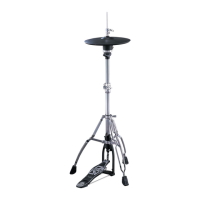
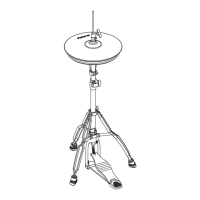
* Hi-hat stand is not included.
For details on compatible stands, refer to p. 10.

Questions and Answers

  • F
    Frederick GarzaJul 27, 2025
    Why are my Roland VH-13 Drums sounds not triggering properly?
    • J
      John MonroeJul 27, 2025
      If the Roland Drums sounds are not triggering properly, several factors could be the cause. First, ensure that the trigger type is correctly set in your sound module's parameters. Use the special VH-13 clutch designed specifically for your equipment. Verify that the clutch is correctly attached to the top hi-hat, ensuring the screw pipe of the stopper is visible through the clutch slit. A gap set too narrow or wide between the top and bottom hi-hat can cause issues; a 10 mm gap is recommended for the most natural feel. Also, ensure that the bottom hi-hat is correctly attached, checking the felt or rubber pad for compression due to extended use. Finally, the sound module’s ofsfet should be adjusted correctly by running the automatic ofsfet adjustment procedure again.
  • B
    Brittney DavisAug 11, 2025
    What to do if the sound does not change when an edge shot is made on Roland VH-13 Drums?
    • M
      Michael ThomasAug 11, 2025
      If the sound on your Roland Drums does not change when an edge shot is made, the issue might be due to the cable you are using. Make sure you are using a stereo (TRS) cable instead of a monaural cable.

Summary

USING THE UNIT SAFELY

Safety Notices and Symbols

Explains WARNING/CAUTION notices and general safety symbols used in the manual.

General Safety Precautions

Lists essential safety guidelines to follow while using the unit.

IMPORTANT NOTES

Placement and Environmental Precautions

Guidance on unit placement, avoiding extreme conditions, and handling liquids.

Maintenance and Handling

Instructions for cleaning, maintaining, and carefully handling the unit.

Getting Started

Product Features Overview

Overview of the VH-13's design, feel, and capabilities.

Package Contents

Lists all the items included in the product package.

Mounting on the Hi-Hat Stand

Assembling the Top Hi-Hat

Step-by-step instructions for assembling the top hi-hat unit.

Mounting on the Hi-Hat Stand

Assembling the Bottom Hi-Hat

Step-by-step instructions for assembling the bottom hi-hat unit.

Mounting on the Hi-Hat Stand

Assembling the Overall Unit

Instructions for connecting the top and bottom hi-hats and securing them.

Mounting on the Hi-Hat Stand

Connecting to a Sound Module

How to connect the VH-13 to a Roland sound module using cables.

Adjusting the Sound Module

Steps for configuring the sound module for the VH-13.

Mounting on the Hi-Hat Stand

Adjusting Hi-Hat Gap and Tension

How to set the gap and adjust spring tension for optimal performance.

When Not Playing

Playing Methods

Hi-Hat Pedal Control

How pedal movement controls open/closed tones and foot splashes.

Strike Techniques

Explains bow shot and edge shot playing techniques.

Specifications and Compatibility

Troubleshooting

Hi-Hat Operation Issues

Solutions for problems like not closing or improper triggering.

Sound and Triggering Problems

Troubleshooting steps for no sound or incorrect sound changes.

Service and Support Information

Roland VH-13 Specifications

General IconGeneral
Size12 inches
TypeV-Hi-Hat
TriggeringDual-trigger
Trigger ZonesBow, edge
MountingHi-hat stand
MaterialPlastic
Connection1/4" TRS output
ResponseDynamic, with positional sensing
CompatibilityRoland TD-30, TD-20, TD-12, TD-11 and TD-9 drum sound modules

Related product manuals