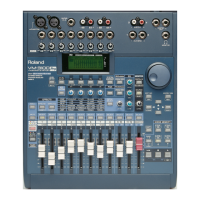
Use the following procedure to store a set of your own EQ settings in
one of the 16 available memory slots in the EQ Library:
1. While on the desired equalizer’s screen, press F1-F4 ON/OFF
repeatedly until “SAVE” appears over F2.
2. Press F2 [SAVE]—the “EQ LIB” screen is displayed.
3. Turn the VALUE dial to select a memory location for your EQ preset.
You can save your preset in any location from 17 to 32.
4. Press the DOWN page button to select “Name.”
5. Use the VALUE dial and the LEFT and RIGHT page buttons to
name the preset.
6. After you’ve finished entering the desired name, press ENTER/YES
(REDO). “Are You SURE?” appears in the display.
7. Press ENTER/YES (REDO) to finish saving the preset in the
VM-3100’s EQ Library.
The VM-3100 contains two mono compressors. Compressors are
important signal-processing devices that serve two basic purposes:
• A compressor helps you control level fluctuations in a signal by
lowering the level of any audio that exceeds a specified volume
threshold. This allows you to raise the level of the entire signal
without worrying that the loud parts will be too loud.
• Since a compressor narrows the difference between the loudest
parts of a signal and the quietest parts, it subtly changes the nature
of a signal, making it sound tighter and more polished.
Each of the two onboard compressors can process the signal in any
one of the VM-3100’s channels.
Here’s how to compress a channel’s signal using Compressor 1:
1. To select Compressor 1, press COMP 1 / 2.
VM-3100Pro Only:
Hold down SHIFT and press EFFECTS1
(COMP1).
2. Turn the VALUE dial to select the number of the desired channel.
3. Press F1-F4 ON/OFF.
4. Press F1 until “→On” appears just above it in the display. Press F1
once more to turn on Compressor 1.
To compress a channel’s signal using Compressor 2:
1. Hold down SHIFT and press COMP 1/2.
VM-3100Pro Only
: Hold down SHIFT and press
EFFECTS2 (COMP2).
2. Follow Steps 2-4 in the previous section.
COMP 1/2 flashes to show that you’ve activated a compressor.
VM-3100Pro Only:
When Compressor 1 is on, EFFECTS1 (COMP1)
flashes. When Compressor 2 is on, EFFECTS2 (COMP2) flashes.
1999 Roland Corporation U.S. The Basics of the VM-3100/VM-3100Pro Faxback# 21099 Page 11
How to Use the EQ Library (continued)
®ÂØÒňΠSupplemental Notes The Basics of the VM-3100/VM-3100Pro
XI. How to Use the Onboard Compressors
You quickly toggle either compressor on or off by re-selecting it.
The VM-3100’s compressors are available in addition to the standard
effects produced by the VM-3100’s effect processor(s).



 To Next Page
 Loading...