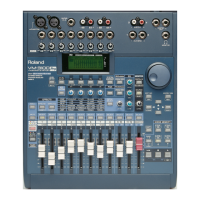
When you’re on the “COMP1” or “COMP2” screen, you can make fine
adjustments to that compressor using the V knobs:
1. Press F1-F4 ON/OFF.
2. Press F3 [KNOB].
3. To adjust the compressor’s Threshold, Attack, Release or Ratio
setting, turn the corresponding V1-V4 knob.
4. Press the RIGHT page button to scroll to the OutLv setting.
5. Turn V1 to adjust the compressor’s output level.
You can compress a stereo signal from two channels or the VM-3100’s
Master Out by linking the two mono compressors so that they function
as one single stereo compressor:
1. While on either compressor screen—“COMP1” or “COMP2”—press
F1-F4 ON/OFF until “LINK” appears above F2.
2. Press F2 [LINK]. “LINK COMP1/2 Are you SURE?” appears.
3. Press ENTER/YES (REDO) to link the compressors.
4. Press F1-F4 ON/OFF twice so that the “COMP1/2” screen appears.
5. Turn the VALUE dial to select the pair of channels you’d like to
compress.You can select any odd/even pair of channels or the
VM-3100’s Master Out.
The VM-3100’s Compressor Library provides sixteen factory
compressor presets, programmed to handle a variety of tasks. The
Compressor Library can be handy when you need to quickly set up a
compressor, or as a starting point for your own compression settings.
Let’s use Compressor 1 to tighten up a bass performance by smoothing
out its dynamic fluctuations—we’ll use one of the factory compression
presets in the Compressor Library:
1. Begin by assigning Compressor 1 to the bass’s channel. Use
Channel 7 for our example.
2. Press the F1-F4 ON/OFF button twice so that “LOAD” appears over
F1.
3. Press F1—the Compressor Library’s “LOAD COMP LIB” screen
appears.
4. Press F1 until “→Pre” (for “Preset”) appears above it in the display.
Press F1 again to select the VM-3100 factory compressor presets.
5. Turn the VALUE dial to select the “04 DI Bass” preset.
6. Press ENTER/YES (REDO) to load the preset. “Are you SURE?”
appears in the display.
7. Press ENTER/YES (REDO) again to confirm your choice.
8. Press EXIT/NO (UNDO) button to return to the Compressor 1
screen.
The 16 factory compressor presets are:
• 01 KickDrum1 • 02 SnareDrum1 • 03 Overheads
• 04 DI Bass • 05 Mic Gt Cab • 06 Breakbeats
• 07 Rap Vocals • 08 Narration • 09 StereoComp
• 10 StereoLmtr • 11 RockVocals • 12 Jazz Vocals
• 13 Acoustic Gt • 14 DI Guitar • 15 KeyboardLd
• 16 Kb Rhythm
1999 Roland Corporation U.S. The Basics of the VM-3100/VM-3100Pro Faxback# 21099 Page 12
How to Use the Onboard Compressors (continued)
®ÂØÒňΠSupplemental Notes The Basics of the VM-3100/VM-3100Pro
XII. How to Use the Compressor Libraries



 To Next Page
 Loading...