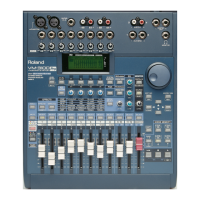
You can also save 16 compressor settings of your own as presets in the
VM-3100’s Compressor Library:
1. While on the desired compressor’s screen—“COMP1” or
“COMP2”—tap F1-F4 ON/OFF until “SAVE” appears over F2.
2. Press F2 [SAVE].
3. Select a memory location for the storage of your compressor preset.
You can save your preset in any location from 17 to 32.
4. Press the DOWN page button to select “Name.”
5. Use the VALUE dial and the LEFT and RIGHT page buttons to
name the preset.
6. After you’ve finished entering the desired name, press ENTER/YES
(REDO). “Are You SURE?” appears in the display.
7. Press ENTER/YES (REDO) to finish saving the compressor preset
in the VM-3100’s Compressor Library.
The VM-3100 provides 50 effect presets. The VM-3100Pro contains 100
preset effects as well as 100 user locations in which you can save your
own custom effect presets.
You can use effects in either of two ways in the VM-3100:
• You can send a copy of a channel’s signal to an effect for
processing, and return the output of the effect directly into the
VM-3100’s main mix or to a bus that you’re sending to an external
device such as a multitrack recorder. Such an effect is called a
“send-and-return effect.” A send-and-return effect is useful when you
want to add an effect to a signal and mix the effect together with the
original dry signal. Use a send-and-return effect when adding
reverb, delay, chorusing, flanging or phasing to a signal.You can
apply the send-and-return effect to as many signals as you wish.
• You can insert an effect within a channel’s signal flow—when you
do this, the effect is referred to as an “insert effect.” With an
insert effect, a signal is interrupted as it travels through its
channel and diverted into the effect for processing. The output of
the effect is then inserted back into the channel and the signal
continues on its way. When you insert an effect, it can’t be used
for any other channels’ signals. An insert effect is useful when
you want to completely replace an original, unprocessed—or
“dry”—signal with a processed version.This would be the case
when you’re running a signal through a mic simulator, a
vocal/guitar/keyboard multi, a pitch shifter, a guitar amp simulator,
dynamics processor, parametric equalizer, canceller or a filter.
1999 Roland Corporation U.S. The Basics of the VM-3100/VM-3100Pro Faxback# 21099 Page 13
How to Use the Compressor Libraries (continued)
®ÂØÒňΠSupplemental Notes The Basics of the VM-3100/VM-3100Pro
XIII. Understanding Effects
Though the VM-3100 doesn’t offer memory locations in which you can
save your own effect presets, an edited effect can be saved as part of a
Scene. Scenes are described later in this
Supplemental Note
.
You can insert an effect into the VM-3100’s stereo main mix channels to
apply an effect—such as as stereo dynamics processor or speaker
modeling effect—to an entire mix at once.
Ti p



 To Next Page
 Loading...