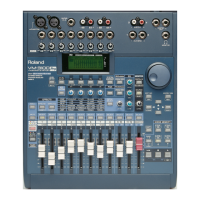
Let’s demonstrate the use of send-and-return effects by adding reverb
to some elements in a mix. Let’s say that we’ve got a drum machine on
Channel 1, a bass on Channel 2 and a vocalist on Channel 3:
We’ll start by selecting a reverb that’ll make our signals sound like
they’re in a club somewhere:
1. Press EFFECTS.
VM-3100Pro Only
: Press EFFECTS1.
2. Turn the VALUE dial to select “P05 RV: ClubFloor.”
3. Press ENTER/YES (REDO) to confirm your choice.
Next, we’ll configure the reverb as a send-and-return effect:
4. Press F1-F4 ON/OFF.
5. Press F1 until “→On” appears above it on the display. Press F1 one
more time to activate the effect.
6. Press F2 [LOC].
7. Use the DOWN page button to move to “Location.”
8. Turn the VALUE dial to select “SEND/RETURN.”
9. Use the DOWN page button to move to “In Level.” This controls the
combined volume of all of the channel signals you’re sending to the
effect.
10. Turn the VALUE dial to a setting of 100 for now. In a real situation,
adjust In Level when you’re satisfied with your individual channel
effect-send levels in relation to one another but need to raise or
lower the effect’s overall input.
11. Use the DOWN page button to move to “Out Level.” This determines
how loud the effect itself will be.
12. Turn the VALUE dial to a setting of 100 for now.
13. Use the DOWN page button to scroll to “ReturnTo.” You can route
the outputs of a send-and-return effect to a couple of places:
• You can send the effect into the main mix.
• You can route it to any of eight busses if you want to send the
effect to a track on a multitrack recorder, for example.
14. Use the UP, DOWN, LEFT or RIGHT page buttons to select “MIX”
since we want to route the reverb into the VM-3100’s main mix.
15. Turn the VALUE dial to add a check mark to the box next to “MIX.”
Next, we’ll send Channels 1-3 to the reverb:
16. Press LEVEL METER (BIG T.C.) to go to the main level screen.
17. Press FX/AUX SEND (PARAM VEW).
18. If it’s not already lit, press Channel 1’s SELECT button.
19. Press F1-F4 ON/OFF.
20. You can send the channel’s signal to the effect from any one of
several locations in the channel’s signal flow. You can choose:
• Off—to send none of the channel’s signal to the effect.
• PreF (“PreFader”)—to send the signal before it reaches the
channel fader. If you select PreF, you can move the channel’s
fader without affecting how much of its signal is sent to the
effect. This setting is useful in any situation in which you want a
signal’s effect level to remain constant while the signal itself
goes up or down in volume.
• PstF (“PostFader”)—to send the channel’s signal to the effect
after the channel fader. This is the setting you’ll want most often,
since the signal’s effect volume will follow changes you make to
the signal’s level.
1999 Roland Corporation U.S. The Basics of the VM-3100/VM-3100Pro Faxback# 21099 Page 14
®ÂØÒňΠSupplemental Notes The Basics of the VM-3100/VM-3100Pro
XIV. Setting Up a Send-and-Return Effect



 To Next Page
 Loading...