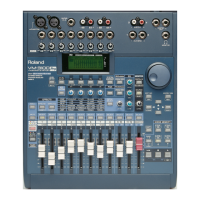
In the last section, we set Busses 1 and 2 to BUS. This allows us to
send a channel’s signal to the busses by simply flipping a switch. Let’s
demonstrate how to do this using Channel 4:
1. If it’s not already lit, press Channel 4’s SELECT button.
2. Press BUS ASSIGN (PARAM VIEW)—a “04” appears in the upper
left corner of the “BUS ASSIGN” screen to show that we’re setting
the bus assignments for Channel 4.
3. Use the UP, DOWN, LEFT or RIGHT page button to move to the
“1/2 (AUX)” box.
4. Turn the VALUE dial to place a checkmark in the box. This signifies
that Channel 4’s signal is now being sent to Busses 1 and 2. The
amount of signal to be sent to Busses 1 and 2 will be determined by
Channel 4’s fader. The channel’s pan controls set how much of its
signal will go to Bus 1 and how much will go to Bus 2—if you’re
creating a single stereo image with the two busses, the pan control
will position the signal in the stereo field.
5. Turn the VALUE dial again to remove the check and turn off
Channel 4’s send to Busses 1 and 2.
For a greater degree of independent level control, you’ll need to set the
desired busses to SND. Once again, we’ll send a signal from Channel 4
to Busses 1 and 2:
1. Since we’re already on the “BUS ASSIGN” screen, press F3 [OUT]
to call up the “EZR OUT” screen.
2. Use the UP, DOWN, LEFT or RIGHT page button to select the BUS
box next to 1/2 at the left edge of the display.
3. Turn the VALUE dial until the box is replaced by a small dial with an
“s”—“SND-S” will appear in the upper right corner of the display.
4. Press LEVEL METER (BIG T.C.) to exit the “EZR OUT” screen.
5. Press FX/AUX SEND (PARAM VEW). The settings on this screen
allow you to precisely control the amount of signal sent from the
currently selected channel to any busses.You can control the sends
to all of the VM-3100’s busses from this screen—with the exception
of the main mix bus—including its FX bus (or both FX busses on
the VM-3100Pro).
6. Press the RIGHT page button twice to select the volume control for
Busses 1 and 2.
7. Turn F3 or the VALUE dial to set the amount of Channel 4’s signal
to be sent to Busses 1 and 2. Set the send to 100 for now.
1999 Roland Corporation U.S. The Basics of the VM-3100/VM-3100Pro Faxback# 21099 Page 18
®ÂØÒňΠSupplemental Notes The Basics of the VM-3100/VM-3100Pro
XVIII. BussingÑThe BUS Method
XIX. BussingÑThe SND Method
Since we selected Channel 4 in the previous section, “04” appears in
the upper left corner of the “FX/AUX SEND” screen. If we wanted to
select another channel—we don’t right now—we could simply press its
SELECT button and the displayed number would reflect our selection.
You can see a “ghost” of a knob to the right of the volume control we’re
adjusting. If we had selected “SND-M” on the “EZR OUT” screen, this
second knob would control Channel 4’s send level to Bus 2, while the
one we just adjusted would control its send to Bus 1.



 To Next Page
 Loading...