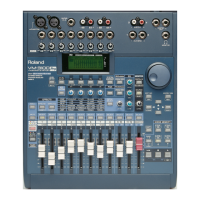
The VM-3100 provides an assortment of output jacks that allow you to
send your signals to a variety of places. For example, you can use:
• the AUX SEND jacks—also labeled as Jacks 1 and 2—to send
signals to a device that has RCA/phono inputs, such as an external
effect processor or a speaker or headphone amplifier that allows
your performers to hear what they’re doing.
• the BUS OUT jacks—Jacks 3 and 4—to send signals to an analog
multitrack recorder’s 1/4” track inputs.
• the MASTER OUT L and R jacks to send signals to your monitor
speakers or monitor-speaker amplifier.You can also connect the
MASTER OUTs to the 1/4” inputs of an analog mixdown recorder.
• the DIGITAL I/O OUT A and B jacks to send digital audio to S/PDIF-
compatible coaxial and optical devices, such as Roland’s VS
workstations, a computer sound card, an effects processor with
digital I/O (such as the Roland SRV-3030D), a Mini Disc Recorder,
and so on.
• the RMDBII/R-BUS connector to digitally send up to eight channels
of digital audio to an RMDBII/R-BUS-compliant device.
As we mentioned earlier, you can send signals to the DIGITAL OUT A
and B jacks using any odd-even pair of busses—the factory settings use
Busses 5 and 6 for OUT A and Busses 7 and 8 for OUT B. To
demonstrate how to change these settings, we’ll route Busses 1 and 2
to OUT A:
1. Press BUS ASSIGN (PARAM VIEW).
2. Press F3 [OUT]—the “EZR OUT” screen appears.
3. Use the RIGHT page button to move to the “DOUTA” box. When this
box is selected, you can turn the VALUE dial to connect any pair of
busses to this output. Each pair of busses is represented by a
horizontal line.
4. Turn the VALUE dial all the way counter-clockwise—the connection
indicator for OUT A comes to rest on the line associated with
Busses 1 and 2 (“1/2”), indicating the Busses 1 and 2 are now
routed to the digital OUT A jack.
You can save your current mixer settings as a “Scene” that will
remember your:
• fader levels • channel panning • channel EQs
• bus and effect routings • bus and effect send levels
• effect settings • compressor settings
Scenes provide a great way to quickly save—and recall—your work.You
can try out different setups and save each setup as a Scene. Scenes let
you jump from project to project without losing your settings since you
can get the settings back with the press of a button.You can also re-use
favorite setups for different mixing projects.
1999 Roland Corporation U.S. The Basics of the VM-3100/VM-3100Pro Faxback# 21099 Page 20
®ÂØÒňΠSupplemental Notes The Basics of the VM-3100/VM-3100Pro
XXI. The VM-3100Õs Outputs
As you can see, the connection indicator for the AUX outputs also rests
on the line associated with Busses 1 and 2. This means that signals
sent to Busses 1 and 2 will go to both the AUX OUT jacks
and
OUT A.
XXII. How to Save Mixer Settings as a Scene



 To Next Page
 Loading...