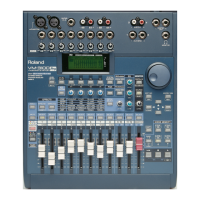
You can restore the VM-3100 to its original factory settings by
“initializing” it. This can be useful, for example, if you want to clear all of
the VM-3100’s Scene memory locations for a new project, create a new
set of EQ or compressor libraries, or troubleshoot the VM-3100. You can
choose to initialize the entire VM-3100, or select:
• System Setup—to reset the settings on the “SYSTEM PREF” and
“SYSTEM MIDI” screens.
• Mixer—to reset input routings, EQ settings, panning, bus routing
and phantom power settings.
• Scene—to delete all Scenes currently in the VM-3100’s memory.
• Routing Sets—to delete all of your custom EZ Routing templates.
• EQ Libraries—to delete all of your custom EQ libraries.
• Compressor Libraries—to delete your custom compressor settings.
• Effect Patches (
VM-3100Pro Only
)—to delete all of your custom
effect presets.
You can choose to initialize any or all of the settings above. To select the
settings you wish to initialize, and to perform the initialization process,
use the following procedure:
1. Press SYSTEM.
2. Press F1-F4 ON/OFF.
3. Press F4 [INIT]. The “SYSTEM INIT” screen appears.
4. Use the DOWN or UP page buttons to select a type of setting you
wish to initialize.
5. Turn the VALUE dial to place a check mark in its box.
6. Repeat Steps 4 and 5 to select any other setting types you want to
initialize.
7. When you’ve finished, press ENTER/YES (REDO). “Initialize. Are
You SURE?” appears in the display.
8. Press ENTER/YES (REDO). “Initialize Really SURE?” appears in
the display.
9. Press ENTER/YES (REDO). The VM-3100 executes the initialized
process.
That’s it for this VM-3100
Supplemental Note
. We hope it helps you
realize the full potential of your powerful VM-3100. Additional
Supplemental Notes
regarding the VM mixer series are available from
Roland’s Faxback system. For a catalog of available documents, please
call (323) 890-3700, Extension 2771, and order Faxback #3.
Roland’s Product Specialists for our Digital Mixing Group are dedicated
to helping you with questions concerning your VM-3100. This team of
experts can be contacted at (323) 890-3742, between the hours of
8:30 am and 5:00 PM, Pacific Standard Time.
1999 Roland Corporation U.S. The Basics of the VM-3100/VM-3100Pro Faxback# 21099 Page 22
®ÂØÒňΠSupplemental Notes The Basics of the VM-3100/VM-3100Pro
XXV. How to Initialize the VM-3100
Once you’ve initialized something, it’s permanently deleted from the
VM-3100’s memory. Think twice before proceeding to make sure that
you’re not about to erase something you need.
XXVI. Conclusion
XXVII. Where to Turn for Additional Help
!
WARNI N G



 To Next Page
 Loading...