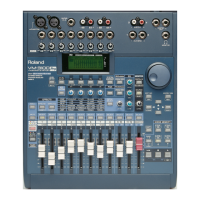
The VM-3100 allows you to change the tonal characteristics of a
channel’s signal using a process called “equalization,” or “EQ.” EQ
raises or lowers—“boosts” or “cuts”—the loudness of selected
frequencies within a signal. A simple example of EQ is provided by the
set of tone controls on a home stereo: the treble control raises or lowers
the volume of higher frequencies, and the bass control does the same
for lower frequencies.
The VM-3100 provides three bands of EQ for each channel, allowing
you to independently control the levels of three different frequency
ranges within the channel’s signal—a “band” is a range of frequencies.
Your EQ settings are retained by the VM-3100 when you power down.
Even so, we recommend you save your EQ settings along with the rest
of your mixer settings in one of its mixer Scenes or in the VM-3100’s EQ
Library for safekeeping. We’ll discuss Scenes and the EQ Library later.
You can access a channel’s EQ controls in a variety of ways so that no
matter how you work, you’ll be able to get to the EQ quickly and easily.
Method One
1. Press the desired channel’s SELECT button.
2. Turn the HIGH, MID or LOW EQ knob. Regardless of which knob
you turn, the settings for all three of the channel’s EQ bands—Hi,
Mid and Low—appear in the display.
3. Press F4 until “→ON” appears above it in the display. Press F4
again to turn the channel’s EQ on.
4. Use the DOWN, UP, LEFT or RIGHT page buttons to select the first
frequency you want to boost or cut. The frequencies are the
numbers on the screen that are followed by “kHz” or “Hz.”
5. To raise or lower the selected frequency’s level, you can either:
• press the RIGHT page button once to select its gain setting and
turn the VALUE dial.
• turn the corresponding HIGH, MID or LOW knob.
6. When you boost or cut an EQ band, you affect more than just the
selected frequency: you also alter the level of frequencies just below
and above it.You can widen or narrow this range of frequencies in
the Mid frequency band by adjusting the MidQ bandwidth—or “Q”—
setting. To do this, use the DOWN, UP, LEFT or RIGHT page
buttons to select the MidQ setting and turn the VALUE dial.
7. If you wish to adjust another channel’s EQ, press its SELECT
button.
8. Press LEVEL METER (BIG T.C.) to exit the EQ screen when you’re
done setting your EQ.
Method Two
1. Make sure you’re on the main level screen. If not, press LEVEL
METER (BIG T.C.).
2. Press F1-F4 ON/OFF.
3. Press F4 [EQ] to display the EQ settings screen.
4. If the desired channel’s SELECT button is not already lit, press its
SELECT button.
5. Press F4 until “→ON” appears above it in the display. Press F4
again to turn the channel’s EQ on.
6. Adjust the EQ as desired following Steps 4-8 in
Method One
above.
1999 Roland Corporation U.S. The Basics of the VM-3100/VM-3100Pro Faxback# 21099 Page 9
®ÂØÒňΠSupplemental Notes The Basics of the VM-3100/VM-3100Pro
IX. Using Channel EQ



 To Next Page
 Loading...