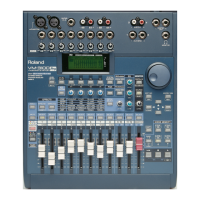
To un-solo channels, use the following procedure:
1. Press SOLO so that it lights solidly—and stops flashing—to enter
Solo mode.
2. Press the flashing SELECT button for the channel that you wish to
un-solo. The SELECT button’s light will go out, indicating that the
channel is no longer soloed.
3. Press SOLO once more to exit Solo mode.
You can solo a channel’s signal at various places along its journey
through the VM-3100. Use the following procedure to choose what you’ll
hear when you solo any channel:
1. Hold down SOLO—as you continue to hold down the button, the
“SOLO MODE” screen appears in the display.
2. Without releasing SOLO , turn the VALUE dial to select the desired
setting, or press the corresponding F1-F4 button.You can choose:
• PRE EQ (F1)—to hear the channel’s signal before it’s been
processed by the channel EQ. This setting is most helpful when
you want to hear what a signal sounds like when it first enters
the VM-3100.
• POST EQ (F2)—to hear the channel’s signal after it’s been
processed by the channel EQ, but before it reaches the channel
fader. Use this setting to check your EQ settings.
• AF (“After Fader Listen”) (F3)—to hear the channel’s signal as it
exits the channel, after the fader. Soloing a signal in this state
lets you hear what it sounds like as it leaves its channel, but
before you’ve added any send-and-return effects or positioned it
in the stereo mix (we’ll discuss send-and-return effects later).
• Inp. (“In Place”) (F4)—to hear the channel’s signal as it sounds
in the final mix, with added send-and-return effects, and in its
actual position in the overall stereo image. Use Inp. when you
want to isolate individual elements within a mix.
3. Release SOLO to exit the “SOLO MODE” screen.
The VM-3100 allows you to quickly silence—or “mute”—any channel or
groups of channels using the following procedure:
1. Press MUTE—it will light, indicating that you’re in Mute mode. When
you’re in Mute mode, you can mute or un-mute channels.
2. Press the SELECT button for each channel you wish to mute—the
SELECT button will light.
3. Press MUTE to exit Mute mode.
When you exit Mute mode, MUTE will continue to flash to indicate that
one or more channels are muted.
To un-mute a channel:
1. Press MUTE so that it lights solidly—and stops flashing—to enter
Mute mode.
2. Press the channel’s SELECT button.The SELECT light will go out,
indicating that the channel is no longer muted.
3. Press MUTE again to exit Mute mode.
1999 Roland Corporation U.S. The Basics of the VM-3100/VM-3100Pro Faxback# 21099 Page 8
How to Solo Channels (continued)
®ÂØÒňΠSupplemental Notes The Basics of the VM-3100/VM-3100Pro
VIII. How to Mute Channels



 To Next Page
 Loading...