EasyManua.ls Logo

rollease acmeda AUTOMATE - User Manual

rollease acmeda AUTOMATE
20 pages
Print Icon
To Next Page IconTo Next Page
Loading...
AUTOMATE
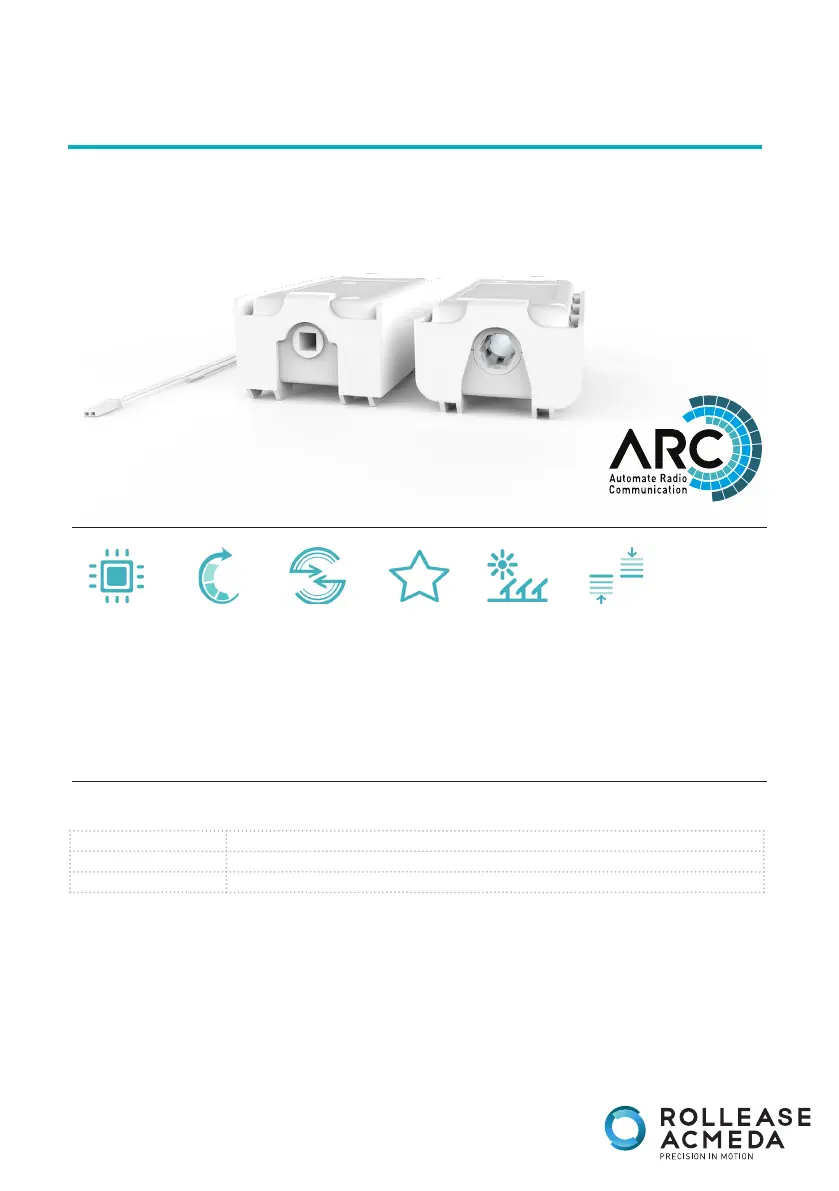
CORE AND TILT MOTOR
INSTRUCTIONS
SOLAR OPTION
FAVORITE
POSITION
SELECTABLE
SPEED
ELECTRONIC
LIMIT
LEVEL CONTROL
433 MHZ
BI-DIRECTIONAL
PART NUMBER DESCRIPTION
MT01-4001-xxx002 Passthrough Tilt Motor Kit
MT01-4001-069003 AUTOMATE | VT TILT [12V/0.6Nm/11rpm]
USE THIS DOCUMENT WITH THE FOLLOWING MOTORS:
AUTOMATE_TILT_PRGM_OCT_2023

Other manuals for rollease acmeda AUTOMATE

Questions and Answers

Summary

SAFETY INSTRUCTIONS

Important safety instructions before installation

Key warnings and cautions for safe installation of the motor.

Important safety instructions before operation

Essential safety guidelines for users during product operation.

FCC and ISED Compliance

U.S. Radio Frequency FCC Compliance

Details on FCC rules and limits for digital devices and radio frequency energy.

ISED RSS Warning

Compliance information for Canada's Innovation, Science and Economic Development RSS standards.

CORE TILT MOTOR ASSEMBLY

CORE TILT MOTOR WAND OPERATION

TILT MOTOR ASSEMBLY

WIRING

Power Options

Details on available power sources and compatible motors, including battery and solar options.

P1 BUTTON FUNCTIONS

Motor state test

Explains the motor's response to short P1 button presses based on its current configuration.

Motor configuration options

Describes how to use the P1 button for pairing, sleep mode, reverse direction, and factory reset.

INITIAL SET UP

Pair motor with controller

Step-by-step guide to wirelessly connect the motor to a compatible controller.

Check motor direction

Instructions on verifying and reversing the motor's movement direction for correct shade operation.

Set Limits

Procedure for configuring the upper and lower travel limits for the motor.

ADJUSTING LIMITS

Adjust upper limit

Steps to set the highest travel position for the motor.

Adjust lower limit

Steps to set the lowest travel position for the motor.

CONTROLLERS AND CHANNELS

Using P2 Button on existing controller to add a new controller or channel

Guide on adding new controllers or channels using the P2 button.

Using a pre-existing controller to add or delete a controller or channel

Instructions for managing controllers or channels with an existing setup.

FAVORITE POSITIONING

Set a favorite position

How to save a specific shade position as a favorite.

Send shade to favorite position

Command to move the shade to a previously saved favorite position.

Delete favorite position

Steps to remove a saved favorite shade position.

TILT & ROLLER MODE

Toggle motor to Tilt Mode

Instructions to switch the motor's operational mode to Tilt.

Toggle Motor to Roller Mode

Instructions to switch the motor's operational mode to Roller.

ADJUSTING SPEED

Increase Motor Speed

Procedure to adjust the motor's speed to a faster setting.

Decrease Motor Speed

Procedure to adjust the motor's speed to a slower setting.

SLEEP MODE

TROUBLE SHOOTING

rollease acmeda AUTOMATE Specifications

General IconGeneral
Brandrollease acmeda
ModelAUTOMATE
CategoryAccessories
LanguageEnglish

Related product manuals