
EasyManua.ls Logo

rollease acmeda AUTOMATE AX30 - User Manual

rollease acmeda AUTOMATE AX30
27 pages
Print Icon
To Next Page IconTo Next Page
Loading...
AUTOMATE
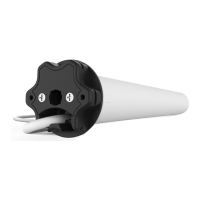
AX30/AX50 EXTERNAL SHADE MOTOR
433 MHZ
BI-DIRECTIONAL
ELECTRONIC
LIMIT
FAVORITE
POSITION
IMPACT
DETECTION
AUTOMATE | AX30/AX50 External Shade Motor combine the simple, intuitive features of
ARC “Automate Radio Communication” with the higher lifting capacity of an AC motor for
larger shade applications.
INSTR.AX30/AX50 v0.5 JUL 2020

Questions and Answers

rollease acmeda AUTOMATE AX30 Specifications

General IconGeneral
Brandrollease acmeda
ModelAUTOMATE AX30
CategoryEngine
LanguageEnglish

Summary

SAFETY INSTRUCTIONS

1 ASSEMBLY

2 WIRING

3 P1 BUTTON FUNCTIONS

3.2 Motor Configuration Options

Explains how to use the P1 button for various motor configurations like pairing and reset.

4 NON-CASSETTE OPEN MODE

4.1 Initial Setup

Steps for initial setup, including pairing the motor with a controller and checking its direction.

4.2 Set Limits

Procedure for setting the upper and lower limits for the shade.

4.3 Adjust Upper Limit

Instructions on how to adjust the previously set upper limit for the shade.

4.4 Adjust Lower Limit

Instructions on how to adjust the previously set lower limit for the shade.

5 CASSETTE MODE

5.1 Initial Setup

Steps for initial setup, including pairing the motor with a controller and checking its direction.

5.3 Set Limits

Procedure for setting the lower and upper limits for the shade in cassette mode.

6 VERTICAL DROP MODE

6.1 Initial Setup

Steps for initial setup, including pairing the motor with a controller and checking its direction.

6.3 Set Limits

Procedure for setting the upper and lower limits for the shade in vertical drop mode.

6.5 Impact Detection

Information on activating and using Impact Detection feature, including active zones.

7 ADD CONTROLLER AND CHANNEL

11 TROUBLE SHOOTING

Motor is not responding

Troubleshooting steps for when the motor fails to respond to commands, covering power and connectivity.

Related product manuals