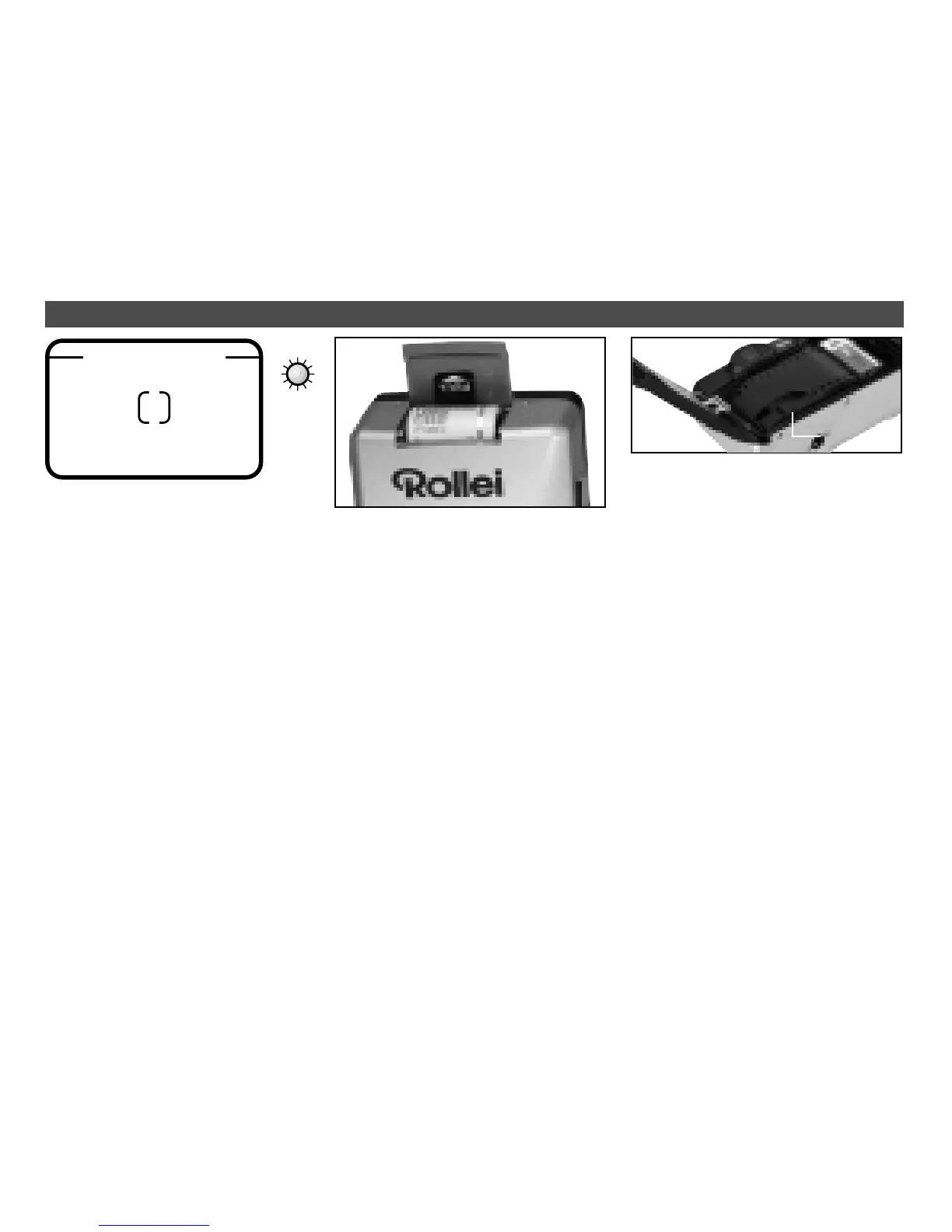
!
"
§
$
¤
Sensor
›
Switch camera off.
›
Open battery compartment.
›
Load fresh battery (use
exclusively CR2 lithium
battery), checking for proper
polarity.
›
Click compartment cover
shut.
Checking battery power
›
Check battery icon in LCD for
power level.
LOADING FILM LOADING THE BATTERY
›
Release back lock, open back
and load film cartridge.
›
Pull out film leader as shown.
The film should be flat on its
guides, its bottom perforation
about 1 cm in front of the sensor.
›
Close camera back until it
clicks shut.
›
The camera automatically ad-
vances the film up to frame
No. 1.
›
The LCD will display frame 1
or, if the film is loaded incor-
rectly, E for ERROR.
›
The camera automatically de-
tects the speed of DX-coded
films.
Viewfinder informations
! Frame area
" Parallax marks for close-ups
§ Autofocus area
$ Green AF LED
VIEWFINDER


 To Next Page