63
Settings
Flash (only in Photo mode)
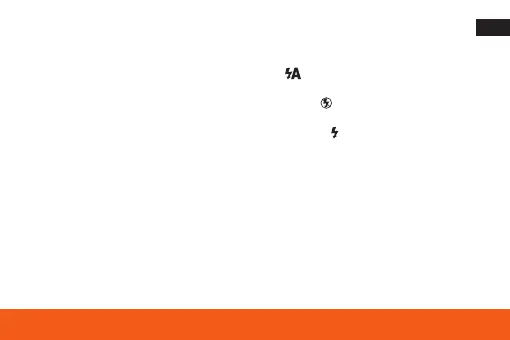
1. Press the Right button / Flash button until the symbol appears on the LCD screen. This
activates the automatic flash.
2. Press the right button / flash button repeatedly until the symbol appears. This turns off the
flash function.
3. Press the right button / flash button repeatedly until the symbol appears on the LCD screen.
This means that the flash LED will flash always.
Playback mode
Press the Playback button to enter playback mode. Here you can preview and delete the photos
and videos you have taken.
Note: The message ”No file“ appears on the LCD screen when there are no photos or videos
on the card. Press the Shutter button to return to Camera or Video mode and start taking photos
or videos.










 To Next Page