54
Preparing Your camera for Use
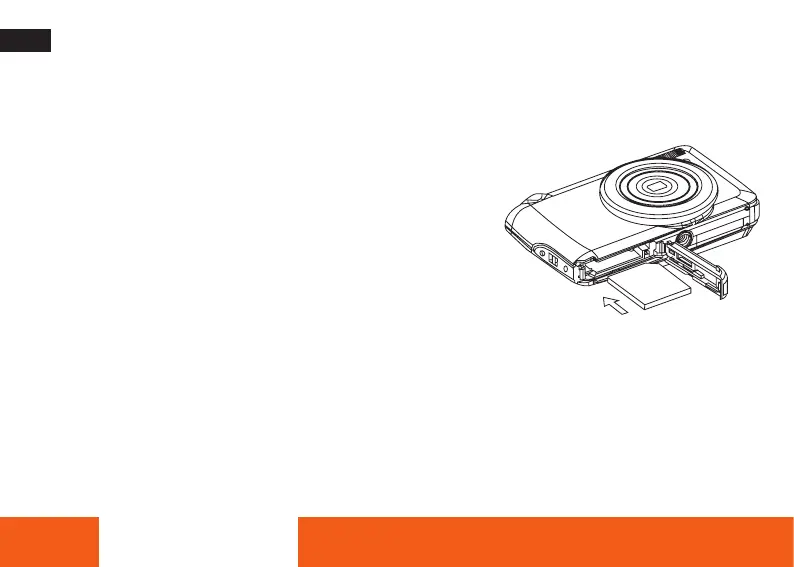
Installing SD memory card
An external memory card is required for use. Your camera supports any compatible SD memory card (up to 32 GB).
1. The SD memory card slot is located next to the battery.
2. Insert the memory card into the slot in the correct direction
(see the sketch on the right).
3. Push the card in until you feel it “click” into position. The top of
the card should be flushed with the surface of the camera. An
icon “SD” will appear on the LCD screen after you turn on your
camera.
4. Once the external memory card is inserted into the camera all
the images taken with the camera will be stored on the card.
5. Make sure the card is not locked. No images can be transferred to the card if it is locked.
ENGLISH







 To Next Page