80
Settings
Playing the AVI video file
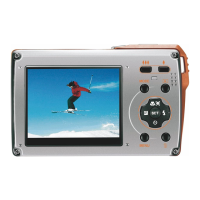
1. In playback mode, press left / right button to select an AVI video file you wish to play.
2. Alternatively, press W button to enter the thumbnail mode and select a video.
Video has an icon on the thumbnail. Press menu button for the selected video to appear in full screen.
3. Press up button to play the current AVI file.
4. Press up button to pause and press it again to continue playing.
5. Press down button to stop playing.
Download photos or video files to your PC
Connect your camera to the computer correctly with a USB cable,Turn on the camera, a “MSDC” will show on the
LCD screen. The screen of PC will be shown a window, you can download the photos and video files.
ENGLISH











 To Next Page